

Print orders retyped into the production system
Print orders are retyped into the production system when the web-to-print storefront and the print MIS share no job model and no interface is in use between them. Staff rekey each web order as a job. The fix is a field map and an idempotent adapter over whatever interface the MIS offers, even a file import.
Start a project brief Explore servicesReviewed by CEO, Netbase JSC · Published 28 Sep 2026 · Updated 1 Oct 2026

Why are web orders still retyped into the MIS?
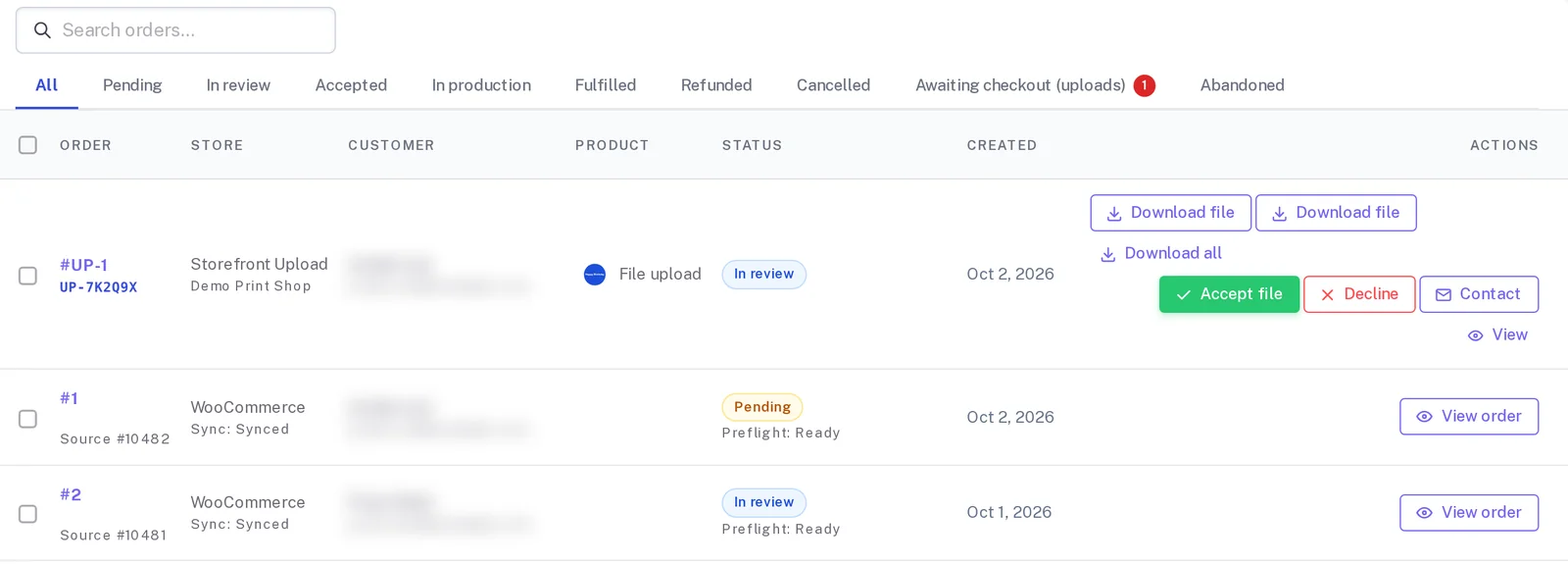
The storefront takes the order and the payment. The print MIS holds the estimate, the job, the press route and the schedule. Between them sits a person who prints the web order, opens the MIS and types it in again: product, quantity, stock, finish, delivery, customer reference and a path to the artwork. Every order is entered twice, and every second entry is a chance to print the wrong stock or the old file.
| Area | What you see today | What a connected setup does |
|---|---|---|
| Job entry | An operator rekeys each web order into the MIS | The order arrives in the MIS as a complete job with a stable key |
| Artwork | Staff copy files from a download folder and rename them | The job carries a durable reference to the approved file version |
| Status | Customers email to ask where their order is | MIS production states flow back to the storefront |
This page covers the case where the storefront stays and no interface is in use. If the storefront itself has to go, replace the storefront and keep the print MIS covers that boundary. Other failing boundaries are listed under web-to-print platform limitations.
Key takeaways
- Orders get retyped when the storefront and the print MIS share no job model and no interface is in use between them, not because staff are careless.
- An unbought licence module, a missing budget line or a storefront built before the MIS was chosen are the usual reasons the interface sits unused.
- A written field map, agreed with production, is the specification an adapter is built against; nobody should carry the translation in their head.
- Even an MIS with no API usually has an alternative interface: a monitored import folder, JDF/JMF, or an add-on module, and a direct database write is never an interface.
- Daily reconciliation between orders and jobs catches a missed submission the same day, before a customer has to ask where their order is.
How does the double entry happen?
-
Two models meet without a map
The storefront describes a product in its own options and SKUs; the MIS describes a job in its own product codes, units and routes. Nobody has written down how one becomes the other.
-
The interface is missing or unused
The MIS may offer an API, JDF and JMF messaging or an import folder, but the licence module was never bought, or the storefront was built without it.
-
People become the adapter
Operators learn the translation by heart. It works until volume grows, someone is on holiday, or a new product arrives that nobody has mapped in their head.
What changes the outcome?
-
A written field map
Input: a sample of real web orders and the MIS jobs they became. Action: record which system owns each field and how codes, units and options translate. Output: a map production signs, which becomes the adapter's specification.
-
An idempotent adapter
Input: storefront orders with stable external keys. Action: submit each order as a job, look up before any retry, and send rejections to a named queue. Output: one job for each order, even after timeouts or duplicate events.
-
Daily reconciliation
Input: the day's orders and jobs from both systems. Action: compare them automatically. Output: a short list of orders without jobs and jobs without orders, each with an owner.
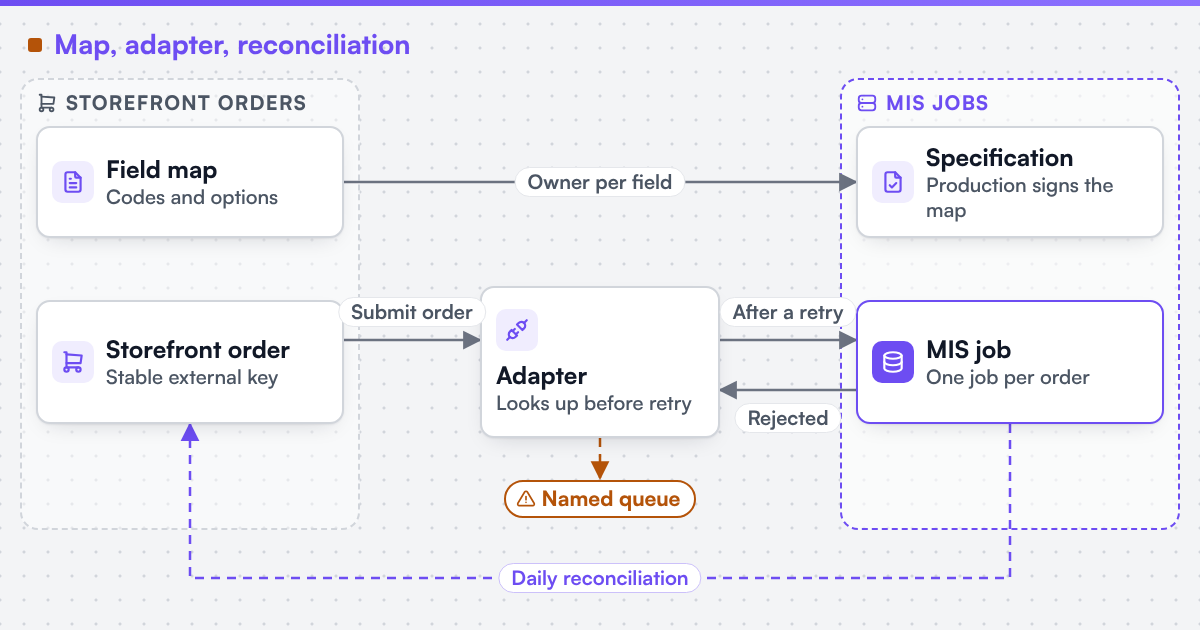 (opens the full-size diagram in a new tab)
What if the MIS has no API?
Many older or smaller MIS installations offer no web API. That rarely means there is no interface. Common alternatives are a monitored import folder that accepts XML or CSV job files, JDF job tickets where the MIS or workflow server reads them (JDF and JMF are the job definition and messaging formats maintained by CIP4), an add-on API module the vendor sells separately, or, as a last resort, a structured job ticket an operator imports with one action instead of typing. A direct write into the MIS database is not an interface, however well it works in a test.
With a file import, acknowledgement is asynchronous. The adapter must read the MIS response or error files, detect duplicates itself, and show the storefront that "received" and "accepted" are different states.
Which systems are involved?
The storefront, the online designer or upload route, the print MIS or Print ERP, and prepress. The artwork reference on the job should point to a file produced to the prepress contract in print-ready PDF and prepress automation, so the job and the file are accepted together. We can integrate a web-to-print front end with an existing MIS, ERP or production scheduler where that system exposes a sanctioned interface. The service that builds it is web-to-print MIS integration.
How does this differ by segment?
Commercial and trade printers usually rekey because their MIS drives costing and press scheduling, so a job must land with the right route. Photo, apparel and promotional businesses rekey less data but far more orders, so volume turns a small delay into a backlog. Enterprise and media buyers add cost centres, approvals and campaign references that must reach the job intact, or invoicing breaks later.
What evidence stands behind this page?
Netbase JSC, which operates Web2Print Solutions, has delivered 50+ web-to-print platforms, and that group experience shapes the tests on this page. No case study for this specific retyping pattern is published on this site yet, so the mechanism is tested against your own MIS and orders. A related delivered storefront that takes both uploaded and online-designed orders is published as the Reprotel case study.
Check whether this boundary applies to your setup
Send a project brief with your MIS and edition, the interfaces your licence includes, and one recent web order next to the job your team typed from it.
Frequently asked questions
Ask the vendor which job-creation interfaces your edition and licence include, and whether a test company or sandbox exists. The feasibility check reads the vendor documentation and runs one representative job through the interface before any scope is fixed.
Yes. The field map can route standard products automatically and send unusual ones to a review queue, and reconciliation covers both paths.
The rejection is stored with its reason and shown to a named operator, who fixes the data and resubmits under the same key. Nothing disappears between the systems.
Yes. Web2Print Solutions delivers remote-first from Hanoi, Vietnam, and Netbase JSC has delivered web-to-print projects for clients in 80+ countries.
Send a project brief at /project-brief, email project@netbasejsc.com or message us on WhatsApp at +84 937 869 689. A senior engineer reads every brief and replies in writing.
References (1)
- CIP4 Organization, What is (X)JDF: JDF and JMF job definition and messaging formats, accessed 2026-09-28.