

Web-to-print glossary: print, prepress and platform terms
This web-to-print glossary defines fifty-three terms that print buyers, print businesses and developers use when they specify an online print ordering system. Each term gets a short, plain definition, grouped alphabetically, with a link to the page that explains the engineering behind it where one exists on this site.
Start a project brief Explore servicesReviewed by CEO, Netbase JSC · Published 29 Sep 2026 · Updated 14 Oct 2026 · 12 min read

What does this glossary cover?
This glossary covers the vocabulary of a web-to-print project: production terms, prepress and file terms, and the software terms connecting a storefront to a press, for the moment a printer, a buyer and a developer use the same word to mean different things. Definitions are current as of 29 September 2026 and link to the page that explains a term further.
Where a technical standard is named, it describes the output specification an engagement produces to, not a credential Web2Print Solutions holds.
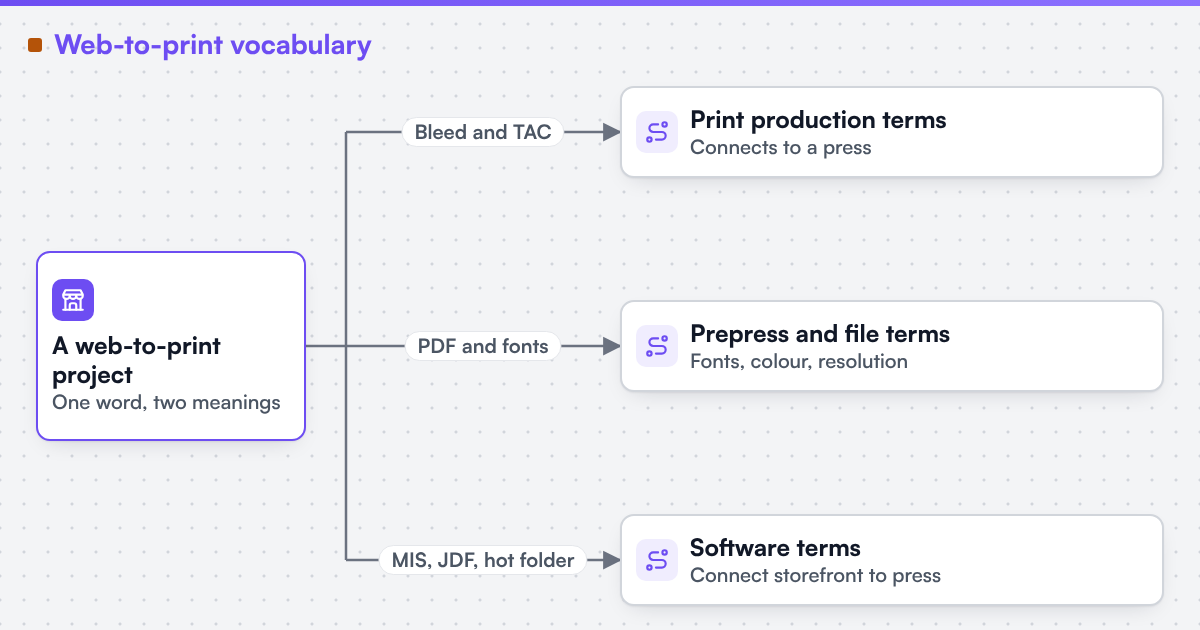 (opens the full-size diagram in a new tab)
Which page explains a term's engineering?
-
Prepress and file
- Example terms
- Bleed, TrimBox, ICC profile, PDF/X
- Explained on
- Print-ready PDF requirements
-
Pricing and production
- Example terms
- Total area coverage, run length, make-ready
- Explained on
- Print pricing engine
-
Platform and integration
- Example terms
- MIS, JDF, JMF, hot folder
- Explained on
- Web-to-print MIS integration
-
Commerce and procurement
- Example terms
- B2B print portal, cXML PunchOut
- Explained on
- Ecommerce platform integration
What is web-to-print?
Web-to-print is software that lets a customer configure, price, design or upload artwork for, and order print online, then passes the order to production as a print-ready file. It replaces a phone call or an email thread with a storefront that collects what a printer needs before a job can run.
The flow runs from storefront to file to production. A product configurator sets options such as size, stock and finish, with rules that block impossible combinations and update the price. For a personalised item, an online designer, a browser-based design tool on a canvas sized to the product, lets the customer create or place artwork, with trim, bleed and safe area built in from the start. A pricing rule prices the same inputs, size, stock, quantity, colours and finishing, and a set of pricing rules forms a print pricing engine. The order then becomes a print-ready PDF: correct size with bleed, defined page boxes, correct colour, embedded fonts and sufficient resolution. Preflight checks the file against the printer's rule set before it reaches prepress, which checks, corrects, colour-converts and imposes it, then a hot folder carries it into production as a job.
A to C
Artwork approval
The step where a customer, or an approver in a business account, confirms the final proof before production. The approved version, with its date and approver, should be stored on the order.
B2B print portal
A storefront for business accounts, with company-specific products, account hierarchies, approval steps and brand rules.
Bleed
Artwork that extends beyond the trim line, commonly 3 mm on each side, so a slightly imprecise cut still leaves colour to the edge. The printer's specification sets the exact value; print-ready PDF requirements explains why missing bleed is the most frequent rejection.
BleedBox
The PDF page box that marks how far the bleed extends beyond the trim. Prepress software reads it instead of guessing from the page size.
Brand-locked template
A design template in which fonts, colours, logos and layout are fixed and only named fields, such as a name or phone number, can be edited.
CIP4
The International Cooperation for the Integration of Processes in Prepress, Press and Postpress, the organisation that maintains the JDF, JMF and XJDF job-ticket formats.
CMYK
Cyan, magenta, yellow and black, the process inks of most colour printing. Screen images in RGB must be converted to CMYK through an ICC profile for a stated printing condition.
Crop marks
Short lines outside the trim area that show the cutter where to trim, sitting outside the TrimBox.
cXML PunchOut
A procurement protocol that lets a corporate buyer open a supplier's catalogue from inside the buyer's purchasing system and return a cart to it for approval.
D to F
Dieline
The outline of a cut, crease or fold for a die-cut product or package. It sits on its own named spot-colour layer, set to overprint, so it guides finishing without printing.
Digital printing
Printing directly from a file without plates, suited to short runs and variable data.
Effective resolution
The resolution of an image at its final printed size, not its file size. An image scaled up in a design tool loses effective resolution even if its pixel count is unchanged.
ERP
Enterprise resource planning software that manages finance, purchasing and stock across a business. In print, it sometimes replaces or sits beside an MIS; web-to-print MIS integration covers both.
Finishing
Everything after printing: cutting, folding, laminating, binding, die-cutting, drilling and packing. Finishing options drive both pricing rules and production routing.
Font embedding
Including the fonts used in a PDF inside the file so production renders text exactly as designed. Missing fonts are substituted, changing the layout.
G to I
Ganging
Placing several jobs on one press sheet to share make-ready and paper. Ganging efficiency is an input to pricing rules.
GWG
The Ghent Workgroup, an industry association that publishes practical PDF specifications for print segments, built on PDF/X.
Hot folder
A watched folder: files dropped into it are picked up automatically by prepress, preflight or print software. A simple, common interface between a web-to-print platform and production.
ICC profile
A file, defined by the International Color Consortium and published as ISO 15076-1, that describes how a device or printing condition reproduces colour.
Imposition
Arranging pages or items on a press sheet in the order and orientation that folding, cutting and binding require. Automated imposition is part of print-ready PDF and prepress automation.
Ink limit
See total area coverage.
J to M
JDF
Job Definition Format, a CIP4 XML format that describes a print job and its production steps so management and production systems can exchange it. Many systems now use its simplified successor, XJDF.
JMF
Job Messaging Format, the CIP4 companion to JDF for real-time messages such as job status and device state between production and management software.
Make-ready
The setup work before a press or finishing machine produces saleable output: plates, registration, colour and paper settings. Make-ready is a fixed cost that shapes quantity-break pricing.
MIS
Print management information system: the software that estimates, schedules, costs and tracks print jobs. A storefront that retypes orders into an MIS is the problem described in replace the storefront and keep the print MIS.
O to P
Offset printing
Printing from plates through a rubber blanket onto paper, economical for long runs.
Online designer
A browser-based design tool in which customers create or personalise artwork on a canvas sized to the product.
Output intent
The part of a PDF/X file that names the printing condition, usually with an ICC profile, the file was prepared for. Production reads it to know which colour conditions the file assumes.
Overprint
Printing one colour on top of another without knocking out the colour below. Black text usually overprints; a white element set to overprint disappears.
PDF/X
A family of ISO 15930 standards that restricts PDF to what print production needs, including embedded fonts, defined page boxes and an output intent.
PDF/X-1a
A PDF/X profile, ISO 15930-1 and 15930-4, that allows only CMYK and spot colour, with transparency flattened.
PDF/X-4
A PDF/X profile, ISO 15930-7, that allows live transparency and ICC-based colour.
Preflight
An automated check of a file against a rule set: boxes, colour spaces, fonts, resolution, ink coverage and more. The rule set comes from the printer's specification.
Prepress
The work between receiving artwork and printing: checking, correcting, colour converting, imposing and making plates or print files.
Pricing rule
A rule that calculates a price from product inputs such as size, stock, quantity, colours and finishing. A set of pricing rules forms a print pricing engine.
Print-ready PDF
A PDF that production can run without repair: correct size with bleed, defined boxes, correct colour, embedded fonts, sufficient resolution and ink within limits.
Print-on-demand
Producing each item only after it is ordered, usually one or a few at a time.
Product configurator
The part of a storefront where a customer chooses options such as size, stock and finish, with rules that block impossible combinations and update the price.
R to S
Rich black
Black built from black ink plus some cyan, magenta or yellow for a deeper tone on large areas. Too much rich black exceeds the ink limit.
Run length
The number of copies in a job. Run length decides whether digital or offset printing is cheaper and is a core input to pricing rules.
Safe area
A margin inside the trim within which text and logos should stay, so cutting tolerance never reaches them.
Soft proof
An on-screen preview of how a file will print, simulated through the ICC profile of the printing condition. A hard proof is a printed sample.
Spot colour
A named, premixed ink, printed as its own separation rather than built from CMYK. A spot colour should keep its name through the whole file chain.
Storefront connector
Software that connects a web-to-print design tool, configurator or pricing service to a commerce platform's cart and orders. It is the subject of web-to-print ecommerce integration.
Substrate
The material printed on: paper, board, vinyl, fabric, film, metal or wood. Each substrate class may need its own ICC profile and ink limit.
T to Z
Total area coverage (TAC)
The sum of the four CMYK ink percentages at the darkest point, also called the ink limit. Each printing condition sets a maximum, commonly between about 240 and 340 percent depending on paper and press.
Trim
The final size of a product after cutting. The trim size, not the page size with bleed, is what the customer orders.
TrimBox
The PDF page box that marks the finished size after cutting. Imposition and preflight read it to place and check the page.
Variable data printing (VDP)
Digital printing in which text, images or graphics change from one printed piece to the next, driven by a data file, without stopping the press.
Web-to-pack
Web-to-print for packaging: online configuration, design on a dieline, 3D preview and output for boxes, labels and flexible packaging.
Web-to-print
Software that lets customers configure, price, design or upload artwork for, and order print online, and passes the order and a print-ready file to production.
Wide-format printing
Printing on large rolls or rigid boards for signs, banners and displays. Its resolution needs and finishing, such as welding and eyelets, differ from sheet printing.
XJDF
Exchange Job Definition Format, a simplified CIP4 redesign of JDF published in 2018, used for job exchange between management applications and production devices.
Turn this into a scoped brief
If a term here names the part of your ordering process that keeps failing, send a project brief that uses the term and describes one order where it went wrong.
How should a buyer use these terms?
A buyer should use these terms in writing when specifying or comparing platforms, because a shared word avoids a costly misunderstanding. The web-to-print RFP requirements checklist shows where each term belongs, and web-to-print build options compares the four ways to get a platform. Our engineering focus is web-to-print: product configurators, print pricing logic, print-ready output pipelines and integration with print production systems. Live stores using many of these terms are listed on the live web-to-print stores page.
Limitations
Definitions are simplified for buyers and do not replace a standard's own text or a printer's written specification. Typical values vary by printer and printing condition, and terms differ by country; a translated version of this page uses that market's own trade terms. Web2Print Solutions claims no certification, accreditation, audit result or named compliance standard as a held credential. Web2Print Solutions is the web-to-print engineering service of Netbase JSC. Delivery records cited on this site belong to Netbase JSC; where no delivered example of a capability is published, the page says so rather than implying a record.
Discuss your web-to-print project
Frequently asked questions
Trim is the finished size after cutting. Bleed is the artwork that extends past the trim so the cut edge still shows colour. A file needs both: a TrimBox at the finished size and artwork that reaches the BleedBox.
Neither is better in general. PDF/X-4 keeps transparency and ICC-based colour live, which suits modern workflows. PDF/X-1a flattens everything to CMYK and spot colour, which older workflows expect. Use the one your printer specifies.
A print MIS is built for print: estimating, scheduling, job costing and production tracking. An ERP covers finance, purchasing and stock across any business. Some printers run both, and a web-to-print platform may need to reach either.
References (5)
- Ghent Workgroup, PDF/X workflow: the GWG 2015 specification is based on the ISO PDF/X-4 standard, accessed 2026-09-30.
- International Color Consortium, ICC specifications, accessed 2026-09-29.
- CIP4, JDF and XJDF print automation, accessed 2026-09-29.
- Ghent Workgroup, GWG specifications, accessed 2026-09-29.
- cXML.org, cXML protocol and PunchOut, accessed 2026-09-29.