

Integrations
-
Home
-
Integrations

Web-to-print integration surfaces
A web-to-print integration carries product options, price, artwork version, order identity and production status across the storefront, online designer, pricing engine, print MIS and prepress workflow. Web2Print Solutions gives a platform its own page only when its extension points or limits change the engineering, and records each constraint with a dated vendor source.
Reviewed by CEO, Netbase JSC · Updated 3 Nov 2026
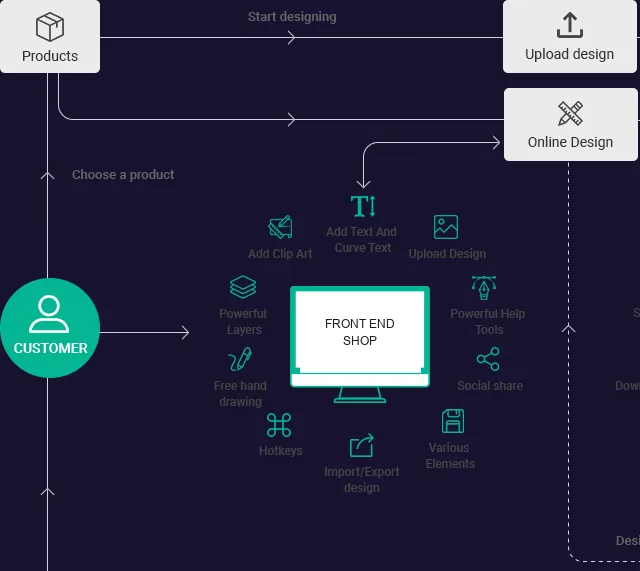
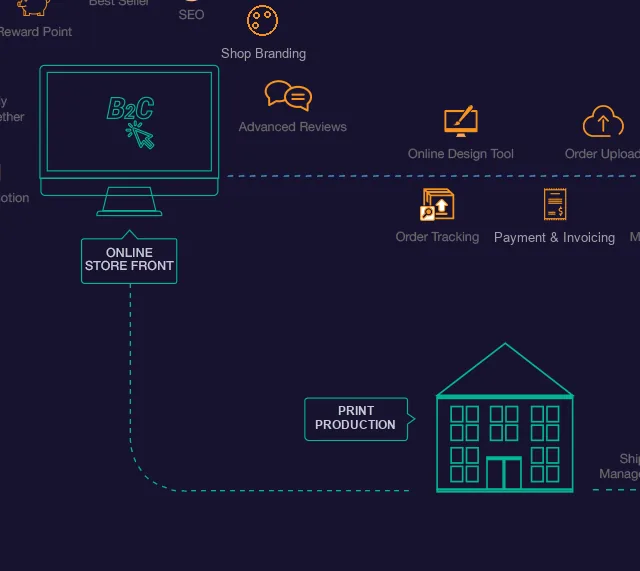
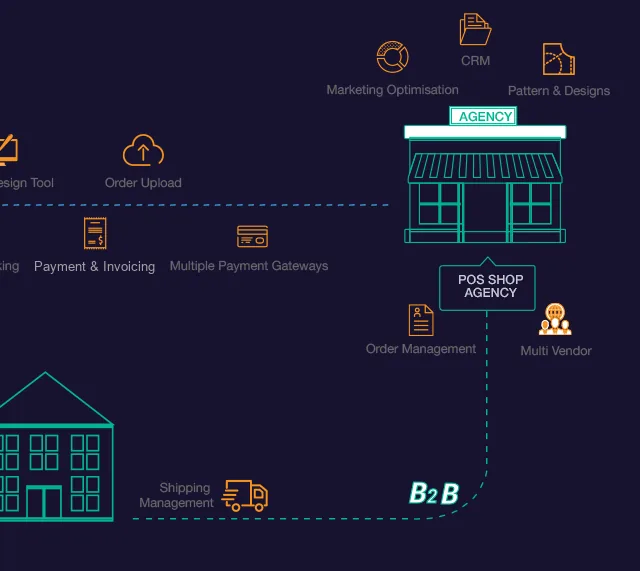
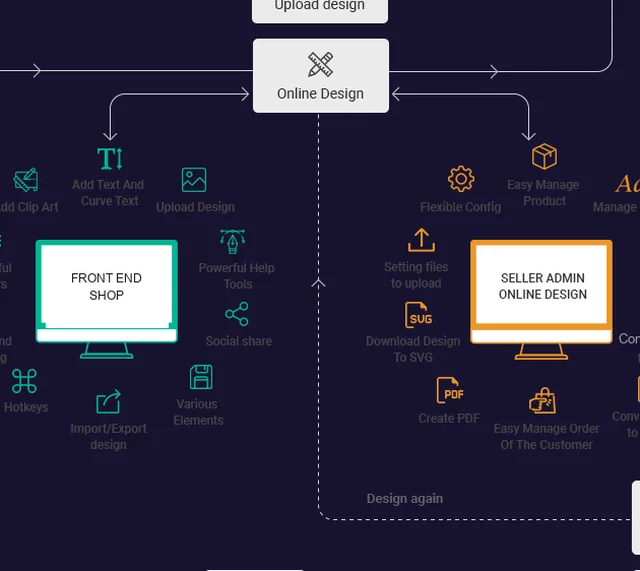


Shopify can run the storefront for web-to-print, but configurable print needs design around its limits. Shopify allows at most 2048 variants per product, so custom sizes and finishes usually travel as line item properties, and its Cart Transform price override works only on Shopify Plus or development stores, which decides how a calculated print price reaches checkout.
Learn More

WooCommerce can run a web-to-print store with custom print pricing, because its cart hooks let code recalculate a line price on the server. The deciding constraints are elsewhere: block checkout runs through the Store API, High-Performance Order Storage changes where order data lives, and production still needs a defined print-ready file for each order line.
Learn More

Magento and Adobe Commerce suit corporate web-to-print because Adobe Commerce B2B documents company accounts, shared catalogs with company-specific prices, negotiable quotes and purchase order approvals. The constraint is print pricing: customizable options add fixed or percentage markups to a single SKU, so size, yield and finishing rules need a separate pricing service.
Learn More

BigCommerce can host a print catalogue with a product customizer, but its limits decide the design. BigCommerce allows 600 SKUs per product, modifiers add only fixed or percentage price adjustments, and a calculated print price reaches the cart through the Cart API list_price override, which by default removes the line from product-level promotions.
Learn More

Wix suits a small retail print or photo-gift shop that wants a product designer inside Wix Stores, within firm limits. Wix Stores allows 6 product options and 1,000 variants per product, and calculated prices need an app-side override or catalog plugin. Corporate B2B print portals are excluded, because Wix Stores has no native company buying model.
Learn More

A headless web-to-print storefront separates the buyer-facing front end from the commerce, pricing, design and production services behind it. It suits print businesses whose catalogue no packaged store can express, but the team then owns what a platform would supply: server-side prices, a same-site design session, idempotent orders and the production job contract.
Learn More
cXML punchout opens a print catalogue inside a buyer's procurement session: a PunchOutSetupRequest starts it, the buyer configures items in a browser session on the catalogue, a PunchOutOrderMessage returns the priced cart, the buyer's system runs its own approval, and an OrderRequest confirms the order for production.
Learn More
SAP's Open Catalog Interface opens a print catalogue from an SAP screen through a call-up URL, lets the buyer configure items there, and returns the cart as named HTML form fields posted to the HOOK_URL address SAP supplied. It carries no XML document and no BuyerCookie; cXML systems use a separate protocol, covered on its own page.
Learn More
Single sign-on lets print-portal staff authenticate through the organisation's SAML 2.0 or OpenID Connect identity provider instead of a separate password. The identity team controls attribute release, a stable subject identifier, logout behaviour and the group claims the portal maps to roles and cost centres; just-in-time provisioning creates the account, or SCIM keeps it continuously synchronised.
Learn More
What does a web-to-print integration have to preserve?
"Integrate web-to-print" can mean five different contracts. The storefront collects options but may not own the price. The online designer produces a preview but may not produce the print-ready file. The pricing engine returns an amount that checkout must not silently change. The print MIS accepts a job only when every production attribute maps to its own codes. Prepress needs the exact artwork version the customer approved. Treating all of that as one connector hides the question that matters: which system owns each piece of state, and what happens when one of them rejects a change?
An integration is sound when a retried order webhook creates no second job, a cart edit produces a new price and the right design version, and a rejected job is visible to a named person. Those behaviours rarely show up in a demonstration, because the happy path has one event and no operator correction.
Which surfaces have their own page?
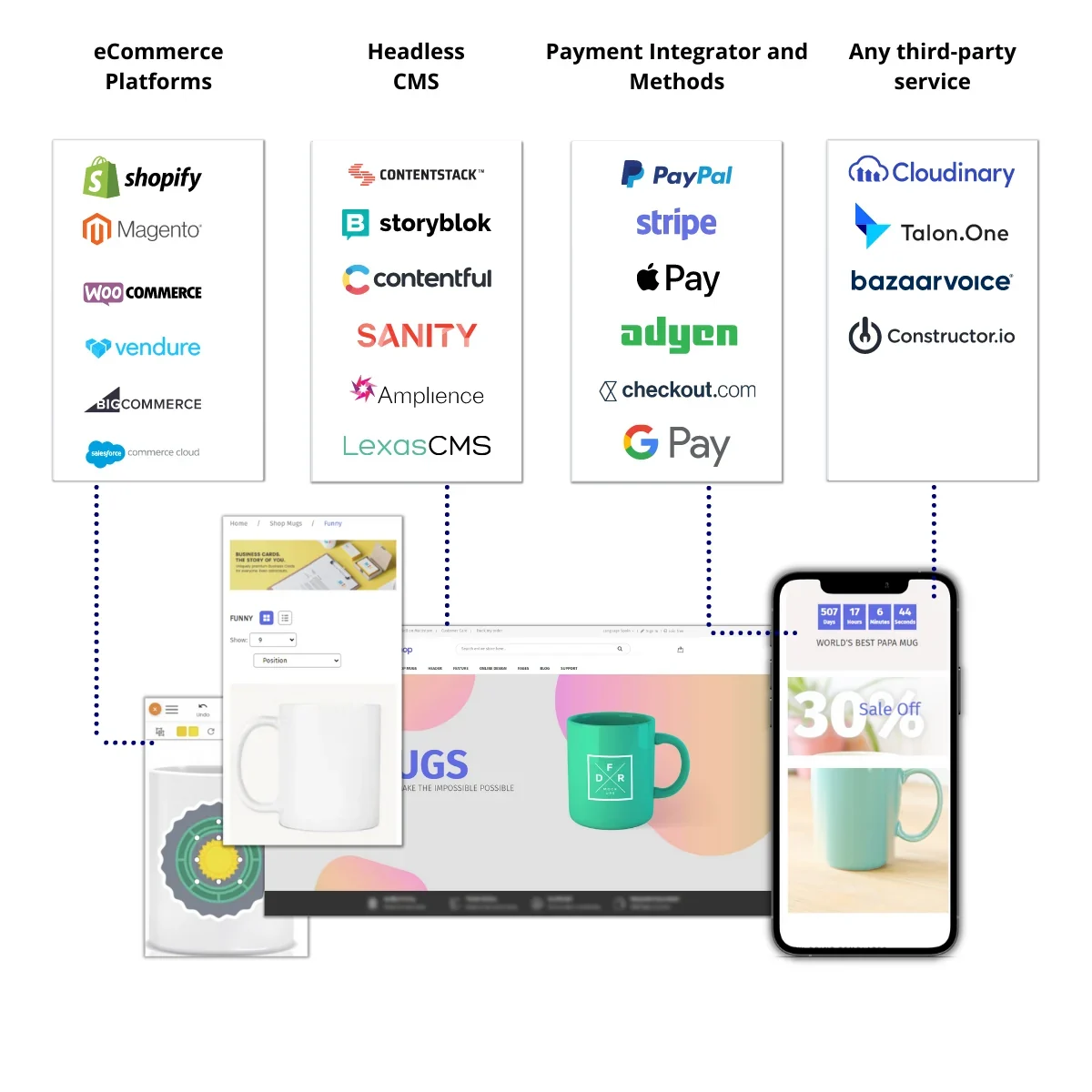
Illustration only: example platform categories around a print storefront. The logos show kinds of systems a project may connect, not a list of supported connectors or partnerships.
A platform gets a page here only when the platform itself changes the implementation, through a named data-model limit, extension point or lifecycle constraint, recorded with a vendor source and an access date.
Web-to-print on Shopify is published. Shopify's GraphQL Admin API documentation sets a maximum of 2048 variants per product (version 2026-07, accessed 28 September 2026), and its Cart Transform price override is limited to Shopify Plus and development stores. Those two facts decide how print options and prices are modelled on a Shopify store.
Web-to-print on WooCommerce is published. WooCommerce has no plan tier that gates price overrides: cart hooks such as woocommerce_before_calculate_totals recalculate a print price on the server. The deciding constraints are block checkout, which runs through the Store API, and High-Performance Order Storage, which changes where order data lives.
Web-to-print on Magento and Adobe Commerce is published. Adobe Commerce B2B documents company accounts, shared catalogs, negotiable quotes and purchase order approvals, which model corporate print buying natively, while customizable options are single-SKU markups that cannot hold a print price rule.
Web-to-print on BigCommerce is published. BigCommerce states a limit of 600 SKUs per product and prices modifiers with fixed or percentage adjusters, so a calculated print price is written to the cart through the Cart API's list_price override, which by default makes the line ineligible for product-level promotions.
Web-to-print on Wix is published. Wix Stores allows 6 product options and 1,000 variants per product, and a calculated price needs an app-side override or the Catalog service plugin. The page also states the exclusion: corporate B2B print portals are not scoped on Wix, because Wix Stores has no native company buying model.
Headless and custom print storefronts is published. A headless store owns what a platform would supply: server-side prices, an order and event contract with idempotent submission, and a design session that still works when browsers block third-party cookies in embedded frames.
Three more pages cover the boundary a corporate buyer's own systems impose rather than a commerce platform's. cXML punchout for print catalogues and SAP OCI punchout for print catalogues open a print catalogue from inside a buyer's procurement system and return a priced cart to it, through two different, non-interchangeable protocols. Single sign-on for print portals authenticates portal staff through the organisation's own SAML 2.0 or OpenID Connect identity provider instead of a separate password.
Other surfaces are scoped through ecommerce platform integration until their own pages are published.
How does print data cross each boundary?
Five boundaries carry the data a print order depends on, each with its own mechanism and its own failure mode.
| Boundary | What crosses | How it is carried |
|---|---|---|
| Storefront to price | The configurator's estimated amount, recalculated to the same rule version | A Cart Transform or draft-order route on Shopify, a cart hook on WooCommerce, an API call before payment on a headless store |
| Designer to file | The design identifier the online designer saves to the cart line | A production PDF generated from that identifier to the output contract of print-ready PDF and prepress automation, never from the preview image |
| Order to job | The order, submitted to an existing MIS, ERP or production scheduler through a sanctioned interface | A stable external key over a REST API, JDF and JMF messages as defined by CIP4, or a monitored import folder, reconciled daily; print MIS and ERP integration scopes that work |
| Procurement to order | A purchase order from an enterprise buyer's procurement system | cXML PunchOut, documented at cxml.org, opening the print storefront, returning a cart and sending the purchase order, which becomes a job like any other order |
| Order to producer | Artwork and routing instructions to a print-on-demand provider or fulfilment network | Per-producer specifications and exception handling, with each producer submission kept distinct so partial acceptance, changed artwork and cancellation stay traceable |
We can build the adapters named in each row where the receiving system exposes a sanctioned interface.
What does Netbase JSC bring to integration work?
Netbase JSC, which operates Web2Print Solutions, has delivered 50+ web-to-print platforms. The group maintains storefront connectors for WooCommerce, Shopify, Wix and custom stores, a browser-based online designer and print-ready PDF output. An engagement reuses those components where they fit and states their licence terms in the scope. We can scope and build web-to-print integrations for Shopify, WooCommerce, Magento / Adobe Commerce, BigCommerce, Wix and headless storefronts, and we state each platform's constraints before the work is priced.
No vendor partnership, listing or app-store status is implied by any platform named here. Platform facts are rechecked against current vendor documentation at the start of each engagement, because extension points and plan eligibility change.
What should you bring to the first conversation?
Bring the receiving system's view of a good order. An exported job record from your MIS, a prepress hot-folder specification or a sample purchase order shows the mandatory fields, valid status transitions and where the artwork reference must live. If the only interface is a batch import, say so: a batch boundary changes acknowledgement and recovery compared with a synchronous API.
The broader catalogue of web-to-print engineering services shows which scope each boundary belongs to. A project brief that names the storefront and plan, the designer, the pricing source, the MIS or ERP and one representative order is enough to say which surfaces need engineering and which can stay as they are.