Ready-made platform
Run it on W2P Solution
A white-label print store with a built-in designer, print pricing rules and a production queue, set up and hosted by the Netbase JSC team.


Variable data printing merges one fixed design template with a separate data record per recipient or item, producing a distinct piece for each row without hand layout. A storefront needs the template's variable fields and the data file's structure to match exactly, and every record validated before a job reaches print.
Reviewed by CEO, Netbase JSC · Published 15 Oct 2026 · Updated 1 Nov 2026 · 9 min read

Variable data printing (VDP) merges one fixed design template with a separate data record for each recipient or item, so that a run of a thousand pieces produces a thousand distinct, individually correct outputs rather than a thousand copies of the same design. A name and address on a direct-mail postcard, a membership number on a card, or a product photo and price on a personalised catalogue page are all variable-data merges: the layout stays fixed, the content in each marked field changes per record.
This is different from a storefront's own product configurator, which lets one customer customise one order interactively before it is submitted. VDP runs the same template against many records in a batch, typically without a person reviewing each individual output before it prints. That difference - batch volume with no per-record manual review - is what makes data structure and validation the central engineering problem, rather than the design itself.
A VDP template is a design with marked placeholders instead of fixed content in the fields that vary: a text field for a name, an image field for a photo, sometimes a conditional block that only appears when a data value meets a rule (show a "renewal" message only for records flagged as expiring). Everything outside those marked fields - the layout, the fixed graphics, the non-variable copy - stays identical across every output. The template is authored once; the data file is what makes each output different.
A template's variable fields need a defined data type (text, image reference, number, date) and, for text fields placed into a fixed box, a rule for what happens when a value is longer than the space allows - truncate, shrink the type, or reject the record. Skipping that rule does not make the problem go away; it just means the first time a longer-than-expected name appears, the output silently clips or overflows.
The data file is typically a delimited table - one row per recipient or item, one column per variable field - supplied as CSV, a database export, or an XML feed for more structured or nested data such as a set of order line items. The column names or field tags in the data file have to match the template's variable field names exactly; a rename on either side without updating the other breaks the merge for every row that depends on that field, which in a batch of several thousand records is a production incident, not a cosmetic bug.
Image references deserve particular attention: a data file that points to "photo_0042.jpg" needs that exact file present and resolvable wherever the merge engine looks for it, in the exact format it expects. A data file with ninety-nine resolvable image references and one broken one does not fail loudly; it produces ninety-nine correct pieces and one piece with a missing or placeholder image, which is the kind of partial failure a validation step exists to catch before the job reaches print, not after.
PDF/VT (the ISO 16612 family of standards) is the output specification built specifically for variable and transactional printing. It extends PDF/X with a mechanism for encapsulating repeated content - a fixed background graphic, for instance - once in the file rather than duplicating it for every record, which keeps file size and processing time manageable across large batches. A storefront or print production system that generates PDF/VT output is targeting a defined, standards-based format a production RIP can process efficiently, rather than a generic PDF with every page's content fully duplicated.
A generic merged PDF - one page per record, no shared-content encapsulation - works for smaller batches but scales poorly: file size and RIP processing time grow roughly linearly with record count, because every repeated background and fixed graphic is stored again on every page.
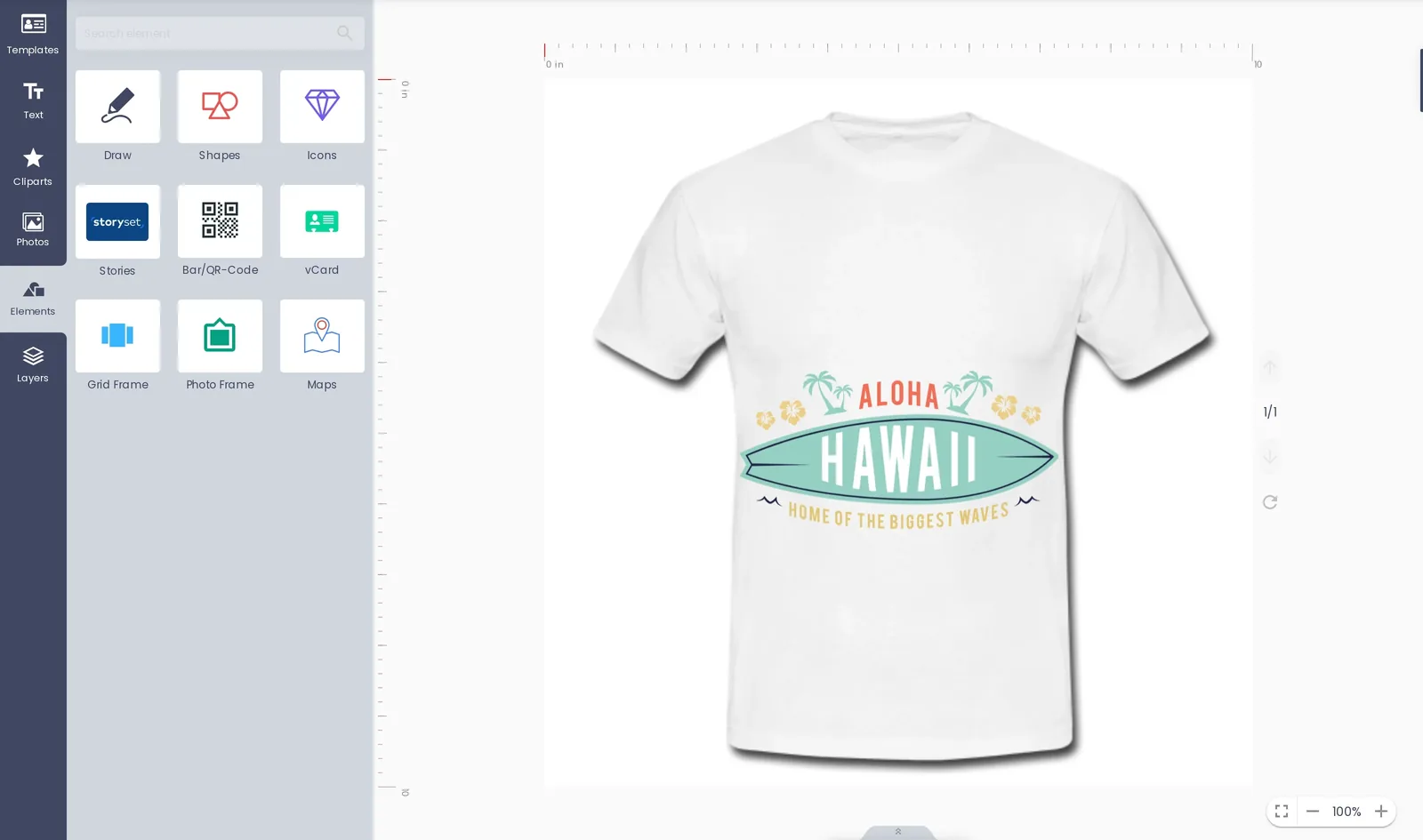
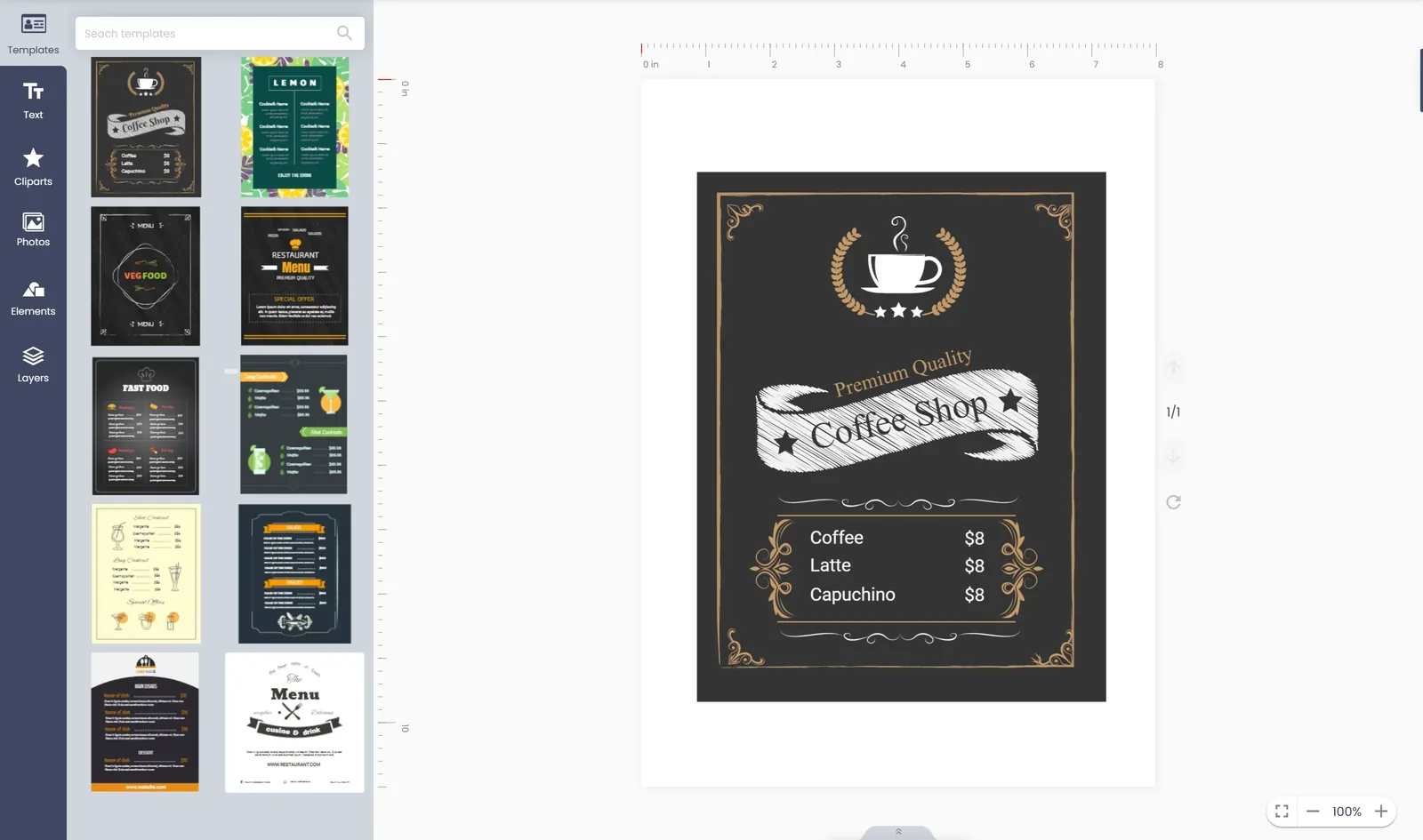
| Field type in the template | What the data file supplies | Common failure if unmatched |
|---|---|---|
| Text | A string value per record | Truncated or overflowing text |
| Image reference | A resolvable file path or ID | Missing or placeholder image |
| Number or date | A formatted value per record | Wrong format breaks sorting or display |
| Conditional block | A flag or rule-matching value | Block shows or hides incorrectly |
Three checks matter most before a VDP job reaches production. Schema validation confirms every required field is present and every value is the expected data type, across every record, not a sample. Reference validation confirms every image reference in the data file actually resolves to a usable file before the merge runs, because a broken reference caught at validation is a configuration fix, while the same gap caught after printing is wasted stock. Sample rendering merges a handful of records - ideally including the longest text values and an edge-case image reference the data contains - into an actual preview, because a template that looks correct with placeholder text can still overflow or clip with the real data's longest values. Designing automated preflight rules covers the broader pass, warn and fail framework these checks fit into; the same discipline of writing down thresholds before building the rule applies here.
Live stores that already run data-driven print production are catalogued on the live web-to-print stores evidence page.
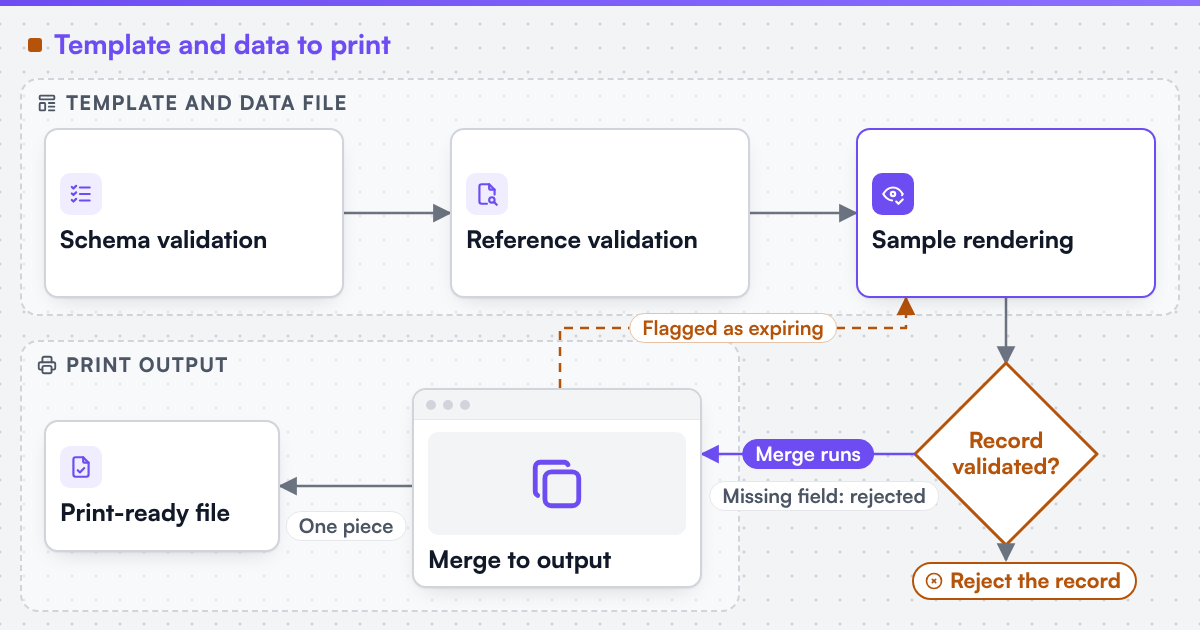 (opens the full-size diagram in a new tab)
A VDP job's cost shape differs from a standard print job's: engineering the template and data pipeline once is the larger up-front cost, while the per-record output cost is usually close to a standard job's unit cost once the pipeline runs. Print pricing engine covers quantity-based pricing logic generally, and a VDP-capable print product configurator is what lets a customer supply or review their own data file rather than a production team assembling it by hand for every batch. Imposition still applies to a VDP job's finished sheets exactly as it does to any other print run; see imposition and ganging for how page and job layout works once the merged file is ready for press.
If your storefront needs to accept customer-supplied data files, validate them automatically, and merge them into print-ready output, send a project brief naming your typical record count, the variable fields involved, and one data file that has caused a problem before.
This guide describes VDP template and data concepts and the PDF/VT output format; it does not recommend a specific merge engine or production RIP. Where a technical standard is named, it describes the output specification an engagement produces to, not a credential Web2Print Solutions holds. Web2Print Solutions is the web-to-print engineering service of Netbase JSC. Delivery records cited on this site belong to Netbase JSC; where no delivered example of a capability is published, the page says so rather than implying a record. It does not cover mailing-list data privacy or deliverability rules, which sit outside print production.
No. A configurator lets one customer interactively customise one order before submission; VDP merges a fixed template against many data records in a batch run, typically without per-record manual review.
A properly validated pipeline rejects or flags those records before the job reaches print, rather than merging a blank or default value silently into the finished piece.
No. Smaller batches can use a generic merged PDF without encapsulation; PDF/VT's efficiency gains matter most as record counts and shared fixed content grow.
Yes, where the storefront's configurator defines the expected columns and validates the upload against the template's fields before accepting the job - which is the integration point this guide's validation checks are written for.
Ready-made platform
A white-label print store with a built-in designer, print pricing rules and a production queue, set up and hosted by the Netbase JSC team.
Commissioned build
When the workflow needs rules, integrations or a configurator a standard edition does not cover, the Netbase engineering team scopes and builds it.
Tell us about one product you want to sell online. A senior engineer reads every brief and replies in writing.