

Automated preflight: designing pass and fail rules for print files
Automated preflight checks a file against deterministic rules - geometry, resolution, colour space, fonts, transparency and ink coverage - with thresholds set from the printer's own specification, not a general default. Each check resolves to pass, warn or fail, deciding whether the order proceeds, is auto-fixed, or waits for review.
Start a project brief Explore servicesReviewed by CEO, Netbase JSC · Published 29 Sep 2026 · Updated 3 Oct 2026 · 9 min read

What does "automated preflight" mean?
Preflight is the check a print file passes before production runs it: does the page match the trimmed size and bleed, is the colour space right for the press, are the fonts embedded, is the resolution enough at final size. Automated preflight means those checks run as deterministic rules against every submitted file, rather than as a person's judgement on some of them. The rules do not decide what is printable in the abstract; they encode what a specific printer's specification already requires, so a file either meets it or it does not.
This is a rule-design guide, dated 30 September 2026, for the checks worth automating, the thresholds that drive them, and what a system should do when a file fails. It is written for print businesses and platform teams building or specifying the preflight step in a web-to-print channel.
Which checks are worth automating?
Six checks account for most rejections a preflight step can catch before a person looks at the file.
- Page geometry. The page size equals the trimmed size plus bleed, and the TrimBox and BleedBox are defined and consistent with each other.
- Resolution. Images are sharp enough at their final printed size, checked against the product's viewing distance, not a single number for every product.
- Colour space and spot colours. Images and objects are CMYK or a named spot colour for the printing condition, not RGB left unconverted, and spot colours keep the name production expects.
- Fonts embedded. Every font used in the file is embedded or converted to outlines; nothing is left to substitution.
- Transparency. Live transparency, where the output target does not allow it, is flattened correctly rather than left to render unpredictably at RIP time.
- Ink coverage. Total area coverage stays under the limit the paper and press profile allow, so ink does not set off or dry slowly.
Each of these is a property the file itself carries, which is what makes it checkable by software rather than by eye.
Where do the thresholds come from?
A threshold is only correct if it comes from the printer's own specification, not a general default copied from another guide. A 3 mm bleed is common but not universal; a 300 ppi resolution target suits close-viewed work but wastes storage on a banner viewed from metres away; an ink limit belongs to a paper and press combination, not to print in general. We engineer print output: PDF generation to a client-specified standard, CMYK and spot colour handling, ICC profile selection, bleed and trim geometry, imposition and automated preflight, and every one of those checks is only as good as the specification it is built from. Where a technical standard is named, it describes the output specification an engagement produces to, not a credential Web2Print Solutions holds.
How should a rule resolve — pass, warn or fail?
Not every check should block an order the same way. A workable rule set sorts checks into three outcomes.
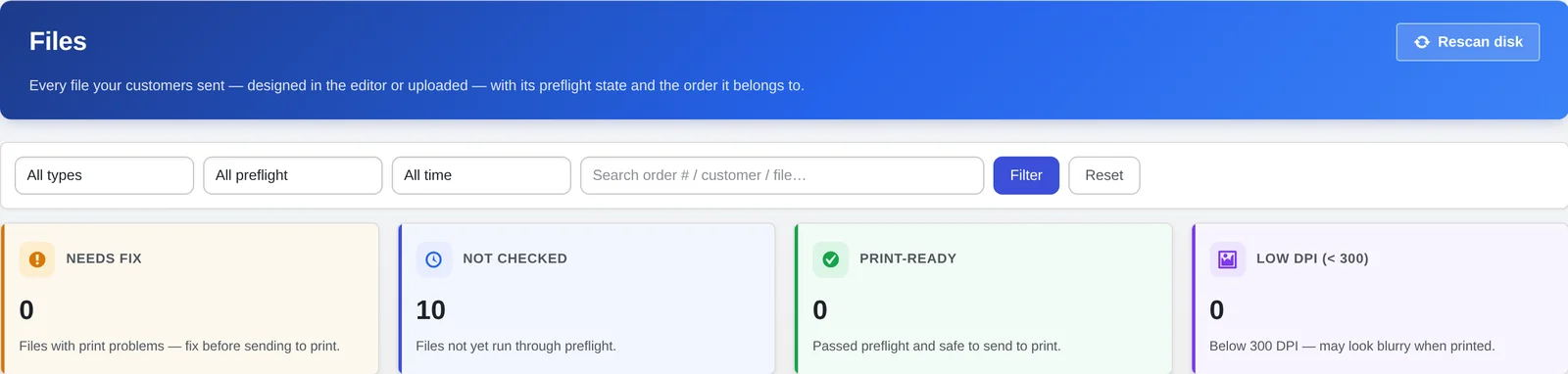
Preflight results sort files into needs fix, not checked, print-ready and low-resolution groups.
Pass. The value is within the specification, and no message is needed. Most files, most checks, should land here.
Warn. The value is outside the ideal range but inside what production can still run — a resolution slightly below target on a large-format product, for instance. The order proceeds, but the customer or an internal reviewer sees the warning before it does.
Fail. The value would force prepress to repair the file or would produce a visibly wrong result — no bleed, an unembedded font, RGB left unconverted for a process that will not fix it automatically. The order does not proceed until the file changes.
The line between warn and fail is a business decision as much as a technical one: a print business willing to auto-fix a given problem can afford to warn where a business with no fix step must fail. That decision belongs to the printer's specification, written down before the rule is built, not improvised case by case.
-
Pass
- What it means
- The value is within the specification
- What happens to the order
- Proceeds with no message
-
Warn
- What it means
- Outside the ideal range, inside what production can still run
- What happens to the order
- Proceeds with a warning shown to the customer or reviewer
-
Fail
- What it means
- Would force a repair or produce a visibly wrong result
- What happens to the order
- Blocked until the file changes
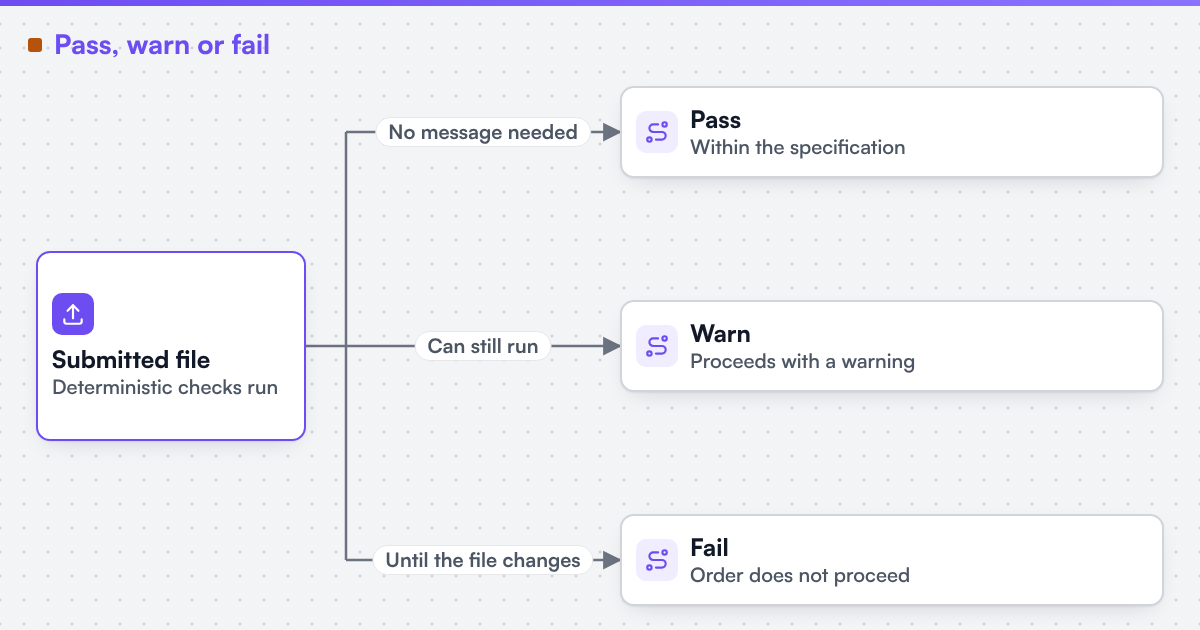 (opens the full-size diagram in a new tab)
What should happen when a file fails?
A failed check needs three things decided in advance: what the customer sees, whether the system attempts a fix, and what gets logged.
The customer message. State which check failed, in terms the customer can act on — "your file has no bleed; add 3 mm around the trimmed edge" reads better than a code. A vague message produces support tickets a specific one would have prevented.
Auto-fix versus manual review. Some failures are safely automatic: converting RGB to CMYK against an agreed profile, or flattening transparency to a known target, can often run without a person. Others should not be automated at all: cropping to fix a missing bleed guesses at content the software cannot see, and a wrong guess ships a bad product. The rule set should say, check by check, which failures may be auto-fixed and which must stop for a person.
Logging and sample files. Every failure should log which rule fired, the measured value against the threshold, and a reference to the file. Keeping one accepted and one rejected sample file per product family gives a concrete test case for every rule, and lets a developer or a printer's own prepress team check a new rule against real files instead of a description of one. Where a submission keeps failing the same check, the pattern usually points at the upstream design step, not the preflight rule; artwork rejection and prepress rework covers that failure mode.
How does automated preflight fit an existing web-to-print build?
Preflight is not a page a customer visits; it is a step between design submission and order acceptance, and it depends on the file actually carrying the geometry, colour and font information the rules check. A design step that exports a screenshot-quality file gives automated preflight nothing reliable to check. Print-ready PDF and prepress automation describes building that output pipeline, and what makes a PDF print-ready explains the seven checks a file itself must pass, which is the specification a preflight rule set encodes into pass, warn and fail logic.
Live stores that already run checks like these in production are catalogued on the live web-to-print stores evidence page.
Turn this into a scoped brief
If your web channel accepts files that then get rejected in prepress, send a project brief with your printer's written specification and one file that passed manual review next to one that did not. Those two files show which rules are missing and which thresholds are wrong.
Limitations
This guide describes rule design, not any single preflight product or a named certification. Web2Print Solutions claims no certification, accreditation, audit result or named compliance standard as a held credential. Where a standard such as PDF/X is named, it is an output specification a rule targets, not a credential this property holds. It does not cover packaging structural checks or variable data validation, which need their own rule sets. Web2Print Solutions is the web-to-print engineering service of Netbase JSC. Delivery records cited on this site belong to Netbase JSC; where no delivered example of a capability is published, the page says so rather than implying a record. No preflight rule set built for a client is published here.
Discuss your web-to-print project
Frequently asked questions
For checks the file's own data answers cleanly — geometry, embedded fonts, colour space, ink coverage — yes. Judgement calls, such as whether a design choice looks intentional, still need a person; the rule set should route those cases to review rather than guess.
No. A rule set that fails everything trains customers to ignore warnings and slows down orders that would have printed fine. Sorting checks into pass, warn and fail, based on what the printer can actually tolerate, keeps the blocking rules meaningful.
At minimum one accepted and one rejected file per product family per rule. That is enough to test a rule change without waiting for a live order to prove or break it.
No. A file can be valid PDF/X and still carry low resolution images, an unembedded font in a later edit, or ink coverage over the press limit. PDF/X sets a structural target; the individual checks still have to run.
References (4)
- Ghent Workgroup, PDF/X workflow: the GWG 2015 specification is based on the ISO PDF/X-4 standard, accessed 2026-09-30.
- Ghent Workgroup, GWG specifications, accessed 2026-09-29.
- International Color Consortium, accessed 2026-09-29.
- Ghostscript documentation, Using Ghostscript, accessed 2026-09-29.