

Business card editor with locked templates
A business card editor for B2B printing locks the template layout while leaving only approved fields, such as a name and title, open to each employee. Web2Print Solutions engineers the double-sided sync, bleed and safe area, spot UV and foil as separate finish layers, and an approval step before a batch reaches print.
Start a project brief Explore servicesReviewed by CEO, Netbase JSC · Published 1 Oct 2026 · Updated 1 Oct 2026

What does a business card editor have to do when the templates are locked?
A business card looks like the simplest product in a print catalogue, until an organisation orders it for two hundred employees instead of one customer. At that volume the job is no longer "design a card"; it is "let two hundred people each get a correct card without two hundred rounds of prepress review." The editor has to lock everything the brand controls - logo placement, colours, typeface, layout grid - while opening a narrow set of fields each employee can fill in, and keep that split airtight even when an employee drags the logo or oversets a title. This page is one of the print-specific product pages in the web-to-print by print product family. We can build custom product configurators and browser design tools that emit print-ready artwork to an agreed specification.
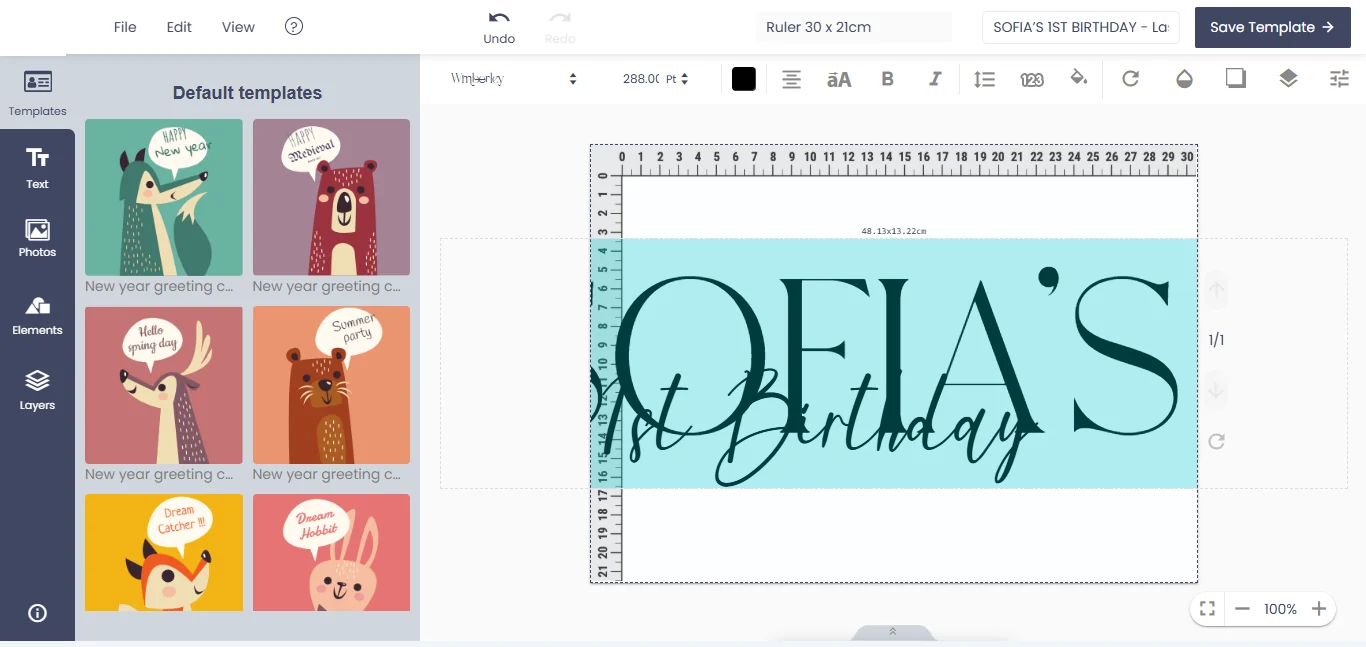
How do locked templates and editable fields work together?
A locked template is a design file with named zones: some are frozen art the editor renders but never exposes to a form control, and others are bound to a field, such as name, title, direct line or email. The editor renders the frozen art exactly as approved and merges each employee's values only into their bound zones, with the font, size and colour rules the template defines, not whatever an employee last used. A field should enforce its own limits at entry, not at print: a maximum character count matching the zone's width at the minimum font size, and a warning rather than a silent truncation when a title runs long.
How does a double-sided layout stay in sync?
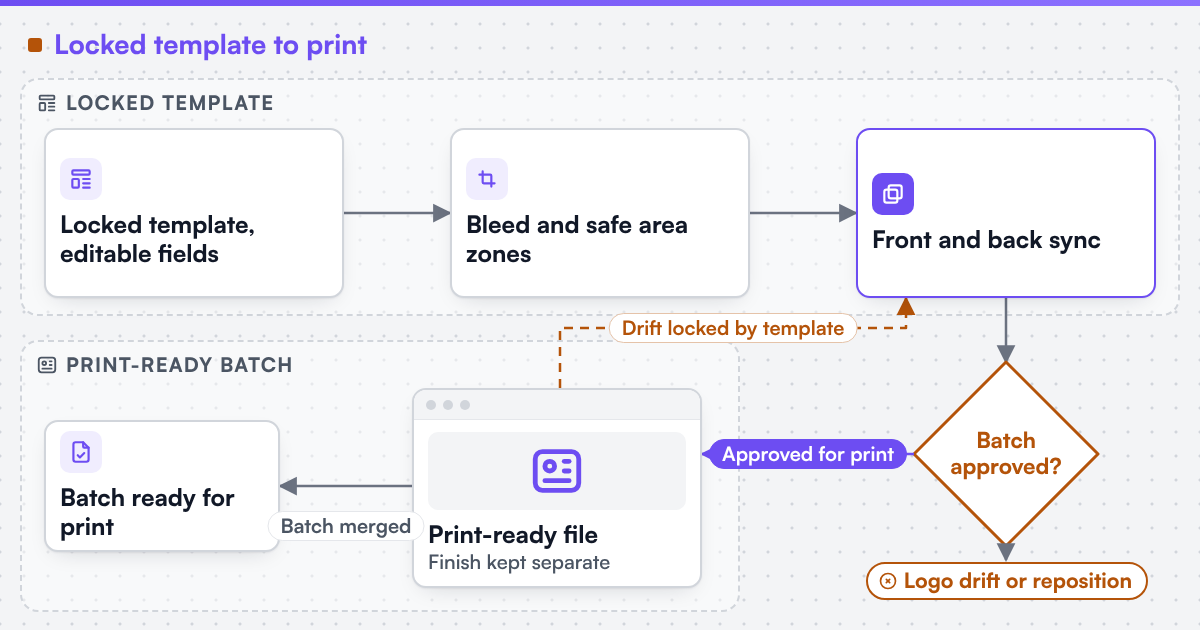
Most business cards print both sides, and the two sides are not independent artworks - a reprint, a template update or a brand refresh has to apply to both at once, or the two sides drift out of sync without anyone noticing until a batch is already at the printer. The editor should treat the card as one record with two linked faces: a shared set of brand-level values, such as the company address or a tagline, that both sides pull from a single source, and side-specific zones, such as a QR code that only appears on the back. When the brand updates a shared value, both sides regenerate from it, rather than requiring a second manual edit on the back that someone forgets.
How do bleed and safe area protect the trim?
A business card is cut from a larger sheet, and the blade is never perfectly accurate to the file's edge, so the artwork needs extra image beyond the trim line, called bleed, and a margin inside the trim line, called the safe area, where text and logos should not sit. Without bleed, a sheet that trims a fraction of a millimetre off-register shows a thin white sliver at the card's edge; without a safe area, a title printed too close to the trim gets clipped on some cards even when the cut is within tolerance. The template should bake both allowances into its editable zones, so an employee cannot accidentally place text where the trim will remove it.
| Market convention | Finished size | Common bleed | Typical safe margin |
|---|---|---|---|
| United States / Canada | 3.5 × 2 in (88.9 × 50.8 mm) | 0.125 in (3.2 mm) | 0.125 in (3.2 mm) from trim |
| United Kingdom / EU | 85 × 55 mm | 3 mm | 3-5 mm from trim |
| Australia | 90 × 55 mm | 3 mm | 3-5 mm from trim |
 (opens the full-size diagram in a new tab)
How do finishes like spot UV and foil work as separate layers?
Spot UV and foil are not colours inside the CMYK artwork; they are a second pass over the printed card, applied only where a separate mask says to apply it. The editor should generate that mask as its own named layer, geometrically locked to the CMYK layer underneath rather than drawn freehand on top, since a foil layer that drifts even slightly from the logo it highlights is a visibly ruined card, not a minor registration note. Where a template allows an employee to choose a finish, the choice should be limited to toggling a pre-approved mask on or off, never to repositioning it, which keeps production risk the same across every card in a batch.
How does B2B approval fit the order flow?
A locked template removes most design risk, but a batch order for an entire office still benefits from one checkpoint before print: a named approver, usually an office manager or marketing lead, reviewing the merged batch - names, titles and any optional fields - rather than trusting that two hundred individually-submitted forms were all correct. This is the same governance problem B2B and corporate print storefronts solve for an entire catalogue, and the same pattern franchise and multi-location brands use to keep every location on-brand; a business card editor is usually the first product a new B2B storefront turns on, since its locked-template logic is the simplest version of the rest of the catalogue's rule.
What print-ready file does the editor need to produce?
The output is one print-ready file per card side, or a combined imposed sheet for batch runs, with the finish layer kept separate from the CMYK artwork rather than flattened into it. We engineer print output: PDF generation to a client-specified standard, CMYK and spot colour handling, ICC profile selection, bleed and trim geometry, imposition and automated preflight. Where a technical output specification such as PDF/X is named, it describes the file target an engagement is built to produce, not a credential Web2Print Solutions holds. This pipeline is print-ready PDF and prepress automation.
Among the live web-to-print store examples, Mama Design is a South Korean cards and stationery store offering online design or a template, and 4OVER4 is a United States store with an online designer for business cards. Live store using web-to-print components delivered by Netbase JSC, which operates Web2Print Solutions. Netbase JSC, which operates Web2Print Solutions, has delivered 50+ web-to-print platforms, and reusable storefront and prepress components from that work are available under their own licence terms.
Scope a business card build in a project brief: the finished size and finish options, how many employees will order, and who approves a batch before it prints.
Key takeaways
- A locked template renders frozen brand art directly and merges employee values only into named, bound fields, with limits enforced at entry rather than discovered at print.
- Front and back should share one record with shared and side-specific zones, so a brand update reaches both faces at once instead of drifting apart.
- Bleed and safe-area allowances belong inside the template's editable zones, not left for an employee to judge by eye.
- Spot UV and foil are separate masks locked to the artwork beneath them, not colours inside the CMYK file or finishes an employee can reposition.
- A named approver reviewing a merged batch is the same governance pattern a full B2B storefront or franchise portal uses, just at its simplest scale.
Discuss your web-to-print project
Frequently asked questions
No. A locked template renders the brand's frozen art directly; the editable zones are limited to the fields the brand has approved, typically name, title and contact details.
No. The United States and Canada commonly use 3.5 × 2 inches, the United Kingdom and the EU commonly use 85 × 55 mm, and Australia commonly uses 90 × 55 mm; the template, bleed and safe area should be set per market rather than assumed.
Because it is a physical second pass over the printed sheet, not ink mixed into the CMYK image; keeping it as its own locked layer is what keeps it registered to the artwork underneath across every card in a batch.
A named person the organisation assigns, usually an office manager or marketing lead, reviewing the merged batch of names and titles - not a rule that assumes every individually-submitted form was correct.
References (4)
- Ghent Workgroup, PDF/X workflow, accessed 2026-10-01.
- International Color Consortium, ICC profiles, accessed 2026-10-01.
- CIP4, Job Definition Format (JDF) for print production automation, accessed 2026-10-01.
- PRINTING United Alliance, specifications for print production (G7, GRACoL, SWOP), accessed 2026-10-01.