What is print production workflow automation?
Print production workflow automation is the engineering that carries a paid web order through to production without a person copying it between screens. The order becomes a job ticket, the ticket is routed to a queue by written rules, and each change of state flows back to the buyer as a status update. Anything the rules cannot decide lands in an exception inbox that a named person owns.
The thesis of this page is simple: most print automation projects fail on the exceptions, not the happy path. A demo that moves one clean business-card order from cart to press proves very little. The real test is the order with a missing file, the duplicate webhook, the product nobody mapped and the rush job that arrives after the cut-off. Web2Print Solutions scopes those cases first and writes them down before any routing is automated.
We can automate the path from a web order to a production job ticket, routing and status updates, using the interfaces the client's systems sanction, with an exception queue a person owns. That is an offer, not a delivery record: Web2Print Solutions is the web-to-print engineering service of Netbase JSC. Delivery records cited on this site belong to Netbase JSC; where no delivered example of a capability is published, the page says so rather than implying a record. No automated production workflow delivered under the Web2Print Solutions name is published yet.

Key takeaways
- Print production workflow automation turns a paid web order into a job ticket, a queue assignment and status updates without retyping.
- Routing is a written rules table the print business approves, not logic hidden inside code.
- Every order the rules cannot place goes to an exception inbox with a named owner, never to a silent default.
- Submission is idempotent: a retried or duplicated order event creates exactly one job.
- JDF and JMF are used where the receiving production system supports them; otherwise the sanctioned API, file drop or database interface is used.
How does an order travel from the storefront to the press?
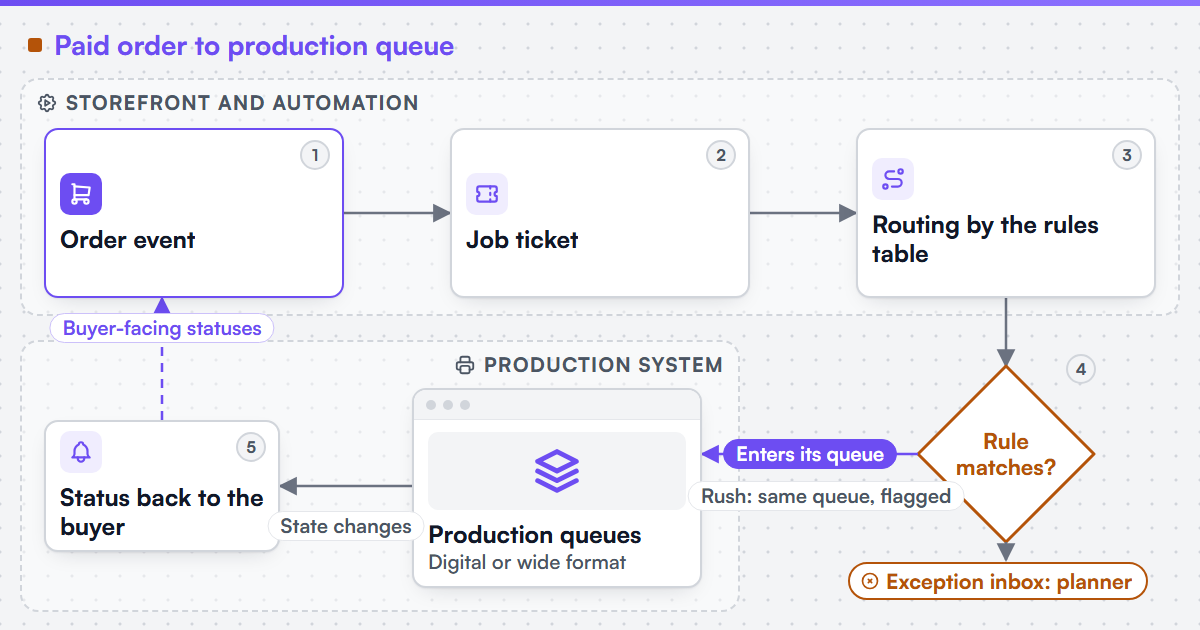
The flow has five stages, and each one has a single owner of truth.
-
Order event
The storefront emits a paid-order event carrying the order id, line items, product options, artwork references and the ship-by date.
-
Job ticket
The automation builds a job ticket in the production system's own model: product, quantity, substrate, finishing, file locations and due date. Where the production system accepts it, the ticket is a JDF or XJDF document; otherwise it is the record shape the system's API or import expects.
-
Routing
The rules table assigns the ticket to a queue, such as digital short run, wide format or outsourced finishing.
-
Queue and exception inbox
A ticket that matches a rule enters its queue. A ticket that matches no rule, or matches two, goes to the exception inbox.
-
Status back to the buyer
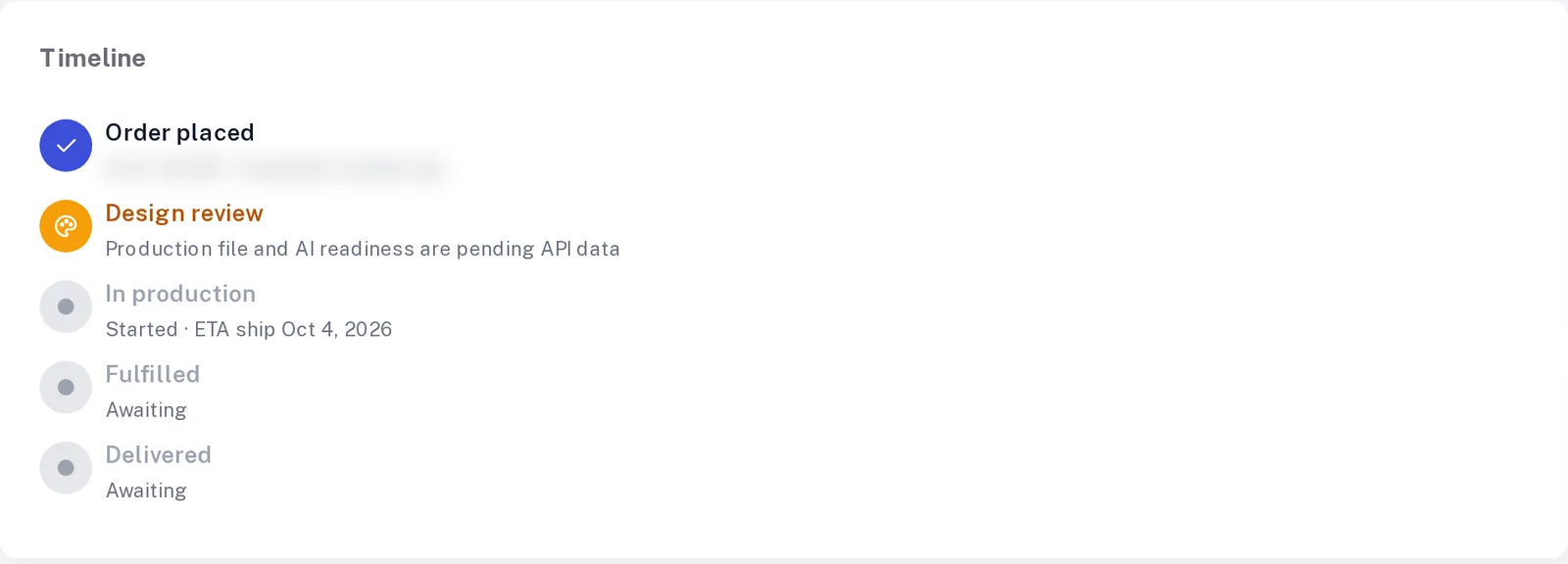
Production state changes, reported through JMF messages, API callbacks or polling, are mapped to a small set of buyer-facing statuses: received, in production, dispatched, on hold.
Artwork checks are a separate boundary. File-level preflight belongs to print-ready PDF and prepress automation; this service consumes its pass or fail result as a routing input.
What does a routing rules table look like?
A worked example for one real product, a 1,000-copy A5 flyer, double-sided on 170 gsm silk with a 2 mm bleed, shows the shape. The rules below are illustrative; the client's production team writes and approves the real table.
-
R1
- Condition
- Preflight result is fail
- Route
- Exception inbox: artwork owner
- If the condition cannot be evaluated
- Hold; never guess a pass
-
R2
- Condition
- Quantity at or below the digital run limit the client sets
- Route
- Digital short-run queue
- If the condition cannot be evaluated
- Exception inbox: planner
-
R3
- Condition
- Quantity above that limit and the stock is on the litho list
- Route
- Litho queue, gang-run eligible
- If the condition cannot be evaluated
- Exception inbox: planner
-
R4
- Condition
- Finishing includes a process the site does not run
- Route
- Outsourced finishing queue with a partner ticket
- If the condition cannot be evaluated
- Exception inbox: planner
-
R5
- Condition
- Ship-by date falls inside the client's rush window
- Route
- Same queue, flagged rush
- If the condition cannot be evaluated
- Exception inbox: production lead
-
R6
- Condition
- No rule matches, or two rules conflict
- Route
- Exception inbox: planner
- If the condition cannot be evaluated
- Not applicable
Our flyer passes preflight, sits inside the digital limit and has no outsourced finishing, so R2 routes it to digital. Change the quantity to 20,000 and R3 applies instead. Remove the stock from the litho list and neither R2 nor R3 matches: the ticket goes to the exception inbox, and the planner decides.
Why does idempotency decide whether automation can be trusted?
Storefronts retry webhooks, networks drop acknowledgements, and operators press the button twice. Without idempotent submission, each retry is a second job and a second print run. The automation therefore keys every submission on the storefront order id and line number, stores the job id it received, and returns that stored id on any repeat. The same principle underlies idempotent methods in HTTP semantics and the proposed Idempotency-Key header listed in the sources.
This is the mechanism behind the orders retyped into the production system symptom. The interface that creates the job, and its field mapping into the MIS, is scoped under print MIS and ERP integration; this page covers the rules, routing, queues and status loop that sit on top of it. We can integrate a web-to-print front end with an existing MIS, ERP or production scheduler where that system exposes a sanctioned interface.
Where do JDF and JMF fit, and where do they not?
JDF (Job Definition Format) describes a job's intent and process steps; JMF (Job Messaging Format) carries messages such as status and resource feedback between systems. CIP4 also publishes XJDF and XJMF, a redesigned exchange format. When the receiving MIS, workflow server or device controller supports one of them, it is usually the cleanest way to hand over a ticket and hear back.
Many print businesses run a mix: a JDF-capable workflow server beside a spreadsheet-driven finishing department and an outsourced partner who accepts email. The automation uses JDF or JMF where it is supported and the least fragile sanctioned alternative where it is not, and the routing rules do not change with the transport.
What is included, and what is not?
Included
- Order-event intake, job ticket mapping and routing rules
- Exception inbox with named owners and reasons
- Status mapping back to the storefront and buyer
- Idempotent submission and a daily reconciliation report
Not included
- Replacing the MIS or production scheduler
- Automated decisions on price, credit or refunds
- Device drivers or press-side hardware integration
- Interfaces the system vendor does not sanction
The default engagement is fixed-scope with written acceptance criteria and priced change control. Managed operations is a separate, opt-in agreement. Acceptance is tested on the client's own products: a set of real orders, each traced from event to ticket to queue to buyer status, plus deliberate failures such as duplicate events and unmapped products.
AI tools assist our own engineering work. A named human engineer reviews and remains accountable for everything we deliver, and no generated output ships unreviewed.
Our view
Position of the CEO, Netbase JSC, 30 September 2026: an exception inbox is the product, and the happy path is the easy part. We would rather ship routing for three product families with every failure visible than for thirty with a silent default queue. A workflow that hides the orders it cannot place teaches staff to distrust all of it, and they return to retyping. Rules live in a table the production team can read and change through a reviewed release. Status reaches the buyer only when it is true.
What proof sits behind this service?
Netbase JSC, which operates Web2Print Solutions, has delivered 50+ web-to-print platforms. Stores built by the group that are live today are listed on the live web-to-print stores evidence page. Those are group records, not a published workflow automation delivery under this name.
Scope this work with a project brief
Send a project brief with three real orders exported from the storefront, the production system's name and the interfaces it offers (API, JDF, file import), the queues or departments work moves through today, and the last five orders that needed a person to intervene, with the reason. That is enough to draft the first rules table and say which exceptions matter.
Frequently asked questions
No. It removes retyping and routine routing. The planner owns the exception inbox and approves every change to the rules table.
No. JDF or JMF is used where the production system supports it. Otherwise the automation uses the API, import format or file drop the system sanctions.
The second submission returns the job already created for that order and line. No second job is made, and the repeat is logged.
Against real orders from the client's catalogue, traced end to end, plus planned failure cases such as duplicates, missing files and unmapped products.
References (5)
- CIP4, Job Definition Format (JDF) and Job Messaging Format (JMF), accessed 2026-09-30.
- CIP4, Exchange Job Definition Format (XJDF) and XJMF, accessed 2026-09-30.
- IETF RFC 9110, HTTP Semantics, section on idempotent methods, accessed 2026-09-30.
- IETF HTTPAPI working group, The Idempotency-Key HTTP Header Field (Internet-Draft), accessed 2026-09-30.
- CloudEvents specification, a common format for describing event data, accessed 2026-09-30.