

Bleed, trim and TrimBox: setting up PDF page boxes for print
A print PDF carries four page boxes: MediaBox for the full sheet, BleedBox for the trim size plus bleed margin, TrimBox for the finished size after cutting, and ArtBox for the safe content area. A missing or inconsistent TrimBox is a common cause of rejected files, so editors should export all four and preflight should check them.
Start a project brief Explore servicesReviewed by CEO, Netbase JSC · Published 30 Sep 2026 · Updated 30 Sep 2026 · 10 min read

What are the four PDF page boxes?
A page in a print-ready PDF is not one rectangle; it is up to four, nested inside one another, and each one answers a different question about the file.
MediaBox. The full digital sheet, including anything that will be trimmed away later: crop marks, registration marks, colour bars and a printer's slug line. Every other box sits inside it.
BleedBox. The trim size plus a margin of extra image or colour, so that any small movement in the cutter still leaves the finished edge fully covered rather than showing a sliver of white paper. Its default, when a file omits it, is the CropBox — which is a reason not to leave it unset.
TrimBox. The finished size of the product after cutting: a business card at 89 by 51 mm, a flyer at A5, a box panel at its die-cut dimension. This is the box a production system reads to know what size it is actually printing and cutting to, and it is the one most often missing from files exported by general-purpose design tools that were never told a print size at all.
ArtBox. The extent of the page's meaningful content, as the designer intended it — useful as a safe area so that text and logos stay clear of the trim edge, distinct from the bleed, which is about coverage rather than safety.
Automated preflight treats page geometry as one of the first checks to run, because a file with the wrong boxes is unrecoverable by a general fix; production either has the right TrimBox to cut to, or it does not.
Why does a missing TrimBox cause rejections?
A production workflow, whether it is a person imposing pages or software building an imposition sheet automatically, needs one authoritative answer to "how big is this, finished?" If the TrimBox is absent, most tools fall back to the MediaBox — the full, untrimmed sheet — which is usually the wrong size and does not describe where to cut. The result is either a file bounced back before it reaches a press, or, worse, a job that runs at the wrong size and is only caught at trimming, after paper and time are already spent.
A TrimBox that exists but disagrees with the BleedBox — for example, a TrimBox larger than the BleedBox, or a BleedBox that does not fully contain the TrimBox with margin on every side — causes the same failure by a different route: the numbers are present, but they describe a page that cannot physically be produced as specified.
What bleed value should I use?
There is no single correct bleed distance; it depends on the product, the finishing equipment and the printer's own tolerance for trim movement. A typical bleed for small commercial-print products such as business cards, flyers and postcards is 3 mm, and 5 mm (about an eighth of an inch, roughly 3 mm to 5 mm in practice) is a common alternative where a printer's equipment needs more allowance or the product is die-cut. Large-format and packaging work often carries a larger bleed still. Treat any figure quoted in a general guide, including this one, as typical rather than fixed, and confirm the actual figure against the specification the job is printing against.
How should an online editor export these boxes?
A browser-based design tool renders a preview, not a print file, so the export step is where page boxes get set — or get lost. Three things need to happen at export:
- The TrimBox is written to the product's finished size, taken from the product definition the customer ordered, not guessed from the canvas size on screen.
- The BleedBox is written as the TrimBox plus the bleed margin on every side, and the exported artwork actually extends into that margin rather than stopping at the trim line with a colour fill added later.
- The MediaBox is at least as large as the BleedBox, with room left for any crop or registration marks the workflow adds.
An editor that only ever exports a MediaBox — because it was built for on-screen output, not print — needs a server-side render step that adds the other three boxes correctly before the file reaches production. This is the same server-side conversion gap covered in why your design editor exports RGB, not CMYK: a browser draws pixels, and a browser alone rarely writes correct print geometry either.
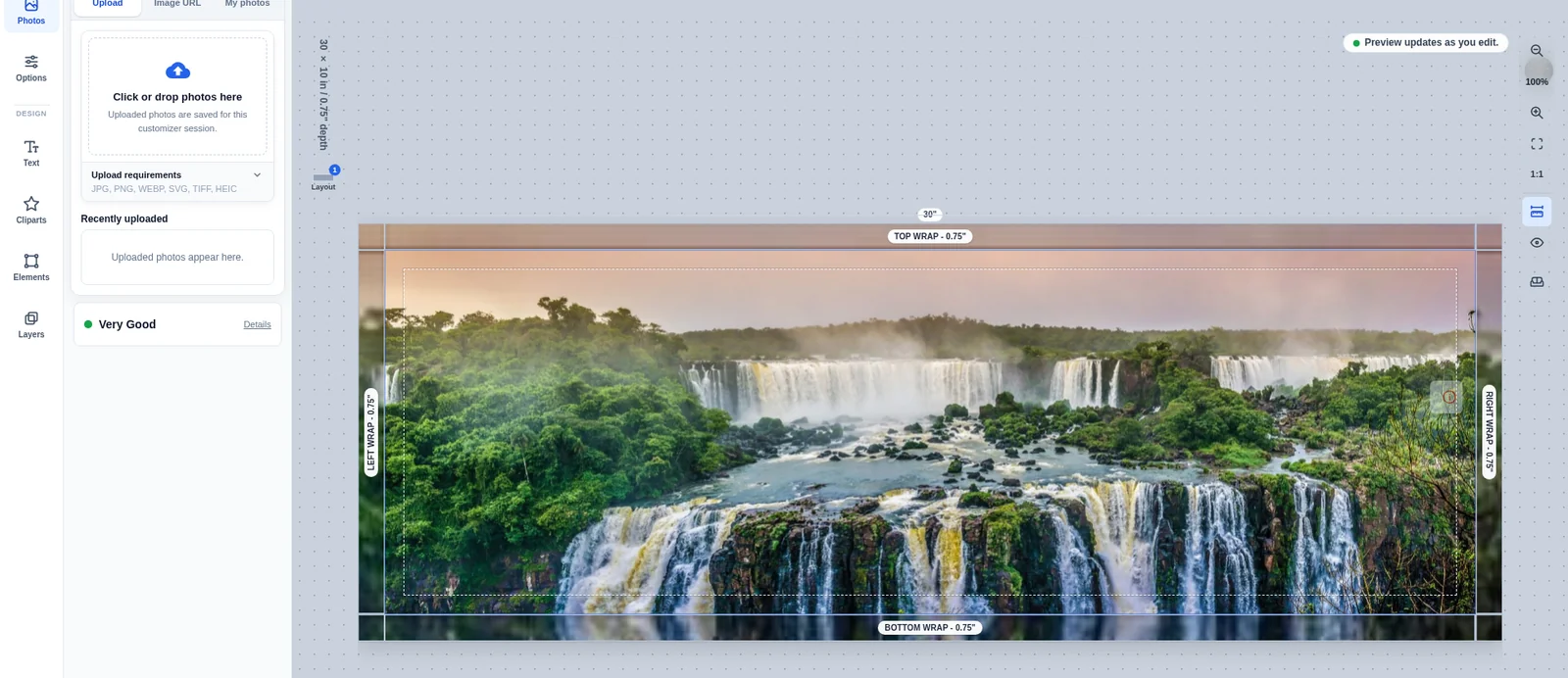
Worked example: a folded business card
Take a folded business card with a finished size of 89 by 51 mm and a printer specification calling for 3 mm bleed. The TrimBox is 89 by 51 mm. The BleedBox extends 3 mm past the TrimBox on every edge, giving 95 by 57 mm, and the artwork — background colour, bleeding photography, any edge-to-edge design element — must actually reach that outer edge, not merely the trim line. The MediaBox, if the workflow adds crop marks, needs extra room again, commonly 3 to 5 mm beyond the BleedBox, giving a working sheet in the region of 101 to 105 mm square-ish depending on mark style. Fold lines, if the card has any, belong in the ArtBox or as separate die-line guidance, not baked into the visible artwork.
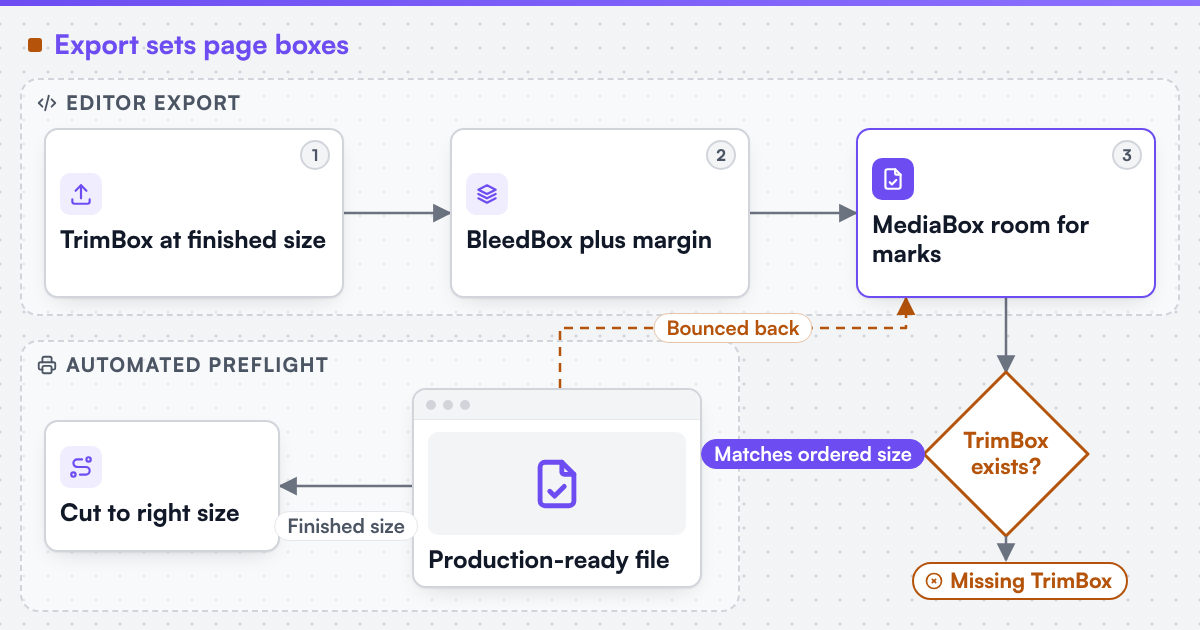 (opens the full-size diagram in a new tab)
Table: the four boxes at a glance
-
MediaBox
- What it defines
- The full digital sheet, incl. marks
- Typical relationship
- Largest of the four
- Consequence if missing or wrong
- Production falls back to the untrimmed sheet size
-
BleedBox
- What it defines
- Trim size plus bleed margin
- Typical relationship
- TrimBox + typical 3-5 mm per edge
- Consequence if missing or wrong
- Cutter movement can expose unprinted paper
-
TrimBox
- What it defines
- Finished size after cutting
- Typical relationship
- Defined by the product, not the canvas
- Consequence if missing or wrong
- File is rejected, or cut to the wrong size
-
ArtBox
- What it defines
- Safe area for meaningful content
- Typical relationship
- Inside the TrimBox, inset from the edge
- Consequence if missing or wrong
- Text or logos risk sitting too close to the trim
What should automated preflight check for page geometry?
A rule set worth automating checks four things about page boxes on every submitted file, not just the ones a person remembers to look at: that a TrimBox exists at all; that it matches the product's ordered size within a small tolerance; that the BleedBox, if present, fully contains the TrimBox with margin on every side; and that artwork intended to bleed actually extends to the BleedBox rather than stopping short. Automated preflight rules covers how to turn checks like these into pass, warn and fail outcomes rather than a single blocking gate, which matters here too: a TrimBox that is off by a fraction of a millimetre from rounding is a different problem from a TrimBox that is missing outright.
Where a file keeps failing this specific check, the fault is nearly always upstream, in the editor or template that produced it, rather than in the preflight rule itself; artwork rejection and prepress rework covers what that repeated pattern usually means and what to do about it.
Does PDF/X or a similar named standard guarantee correct page boxes?
No, and this is worth stating plainly because the standards are often invoked as if they were a guarantee. PDF/X-family standards require that a TrimBox or ArtBox be present, which raises the floor, but a file can be valid against the standard's structural rules and still carry a TrimBox at the wrong size for the product ordered, or a bleed margin too small for the printer's actual trim tolerance. Where a technical standard is named, it describes the output specification an engagement produces to, not a credential Web2Print Solutions holds. Checking the box values against the specific job, not just their presence, is still a separate step.
Turn this into a scoped brief
If files from your storefront keep failing on missing or inconsistent TrimBox values, send a project brief with your product's finished sizes, the bleed figure your printer specifies, and one rejected file. That is enough to show whether the fault sits in the editor's export step or in how preflight is checking it.
Discuss your web-to-print project
Frequently asked questions
No. It is a common figure for small commercial-print products, but the correct value comes from the printer's own specification for the equipment and product in question, and can run larger for die-cut or large-format work.
It can be built that way, but most production workflows still need the TrimBox to know the finished size, so a file with a BleedBox and no TrimBox usually still fails preflight.
It still helps as a safe-content boundary, keeping text and logos clear of the trim edge, even on designs with a plain, non-bleeding background.
It confirms a TrimBox or ArtBox is present, not that the value matches the product ordered. The size still has to be checked against the actual job.
References (4)
- Ghent Workgroup, PDF/X workflow: the GWG 2015 specification is based on the ISO PDF/X-4 standard, accessed 2026-09-30.
- Ghent Workgroup, GWG specifications, accessed 2026-09-30.
- PDF Association, ISO 32000-1 (the PDF 1.7 core specification, section 14.11.2 defines the page boundary boxes), accessed 2026-09-30.
- ISO, ISO 32000-2:2017 - Document management - Portable document format - Part 2: PDF 2.0, accessed 2026-09-30.