

Design editor SDK vs hosted customizer: how to choose
An embedded design-editor SDK gives an ISV, agency or print business control of the UX and data inside its own app, at the cost of integration work. A hosted customizer, reached by iframe or app link, ships faster with less code but hands UX and data control to its operator. The right choice depends on the roadmap's control needs.
Start a project brief Explore servicesReviewed by CEO, Netbase JSC · Published 29 Sep 2026 · Updated 3 Oct 2026 · 10 min read

What are the two ways to put a design tool in front of a print buyer?
An ISV, agency or print business that needs customers to design a printable product online has two realistic ways to put a design tool in front of them. The first is to embed a design-editor SDK: a library or component that runs inside the buyer's own application, drawing the canvas, handling the design state and returning print-ready output to code the buyer controls. The second is to use a hosted product customizer: a separately operated design application the buyer's site links to or frames, usually by iframe or an app-store install, where the customer designs on infrastructure someone else runs.
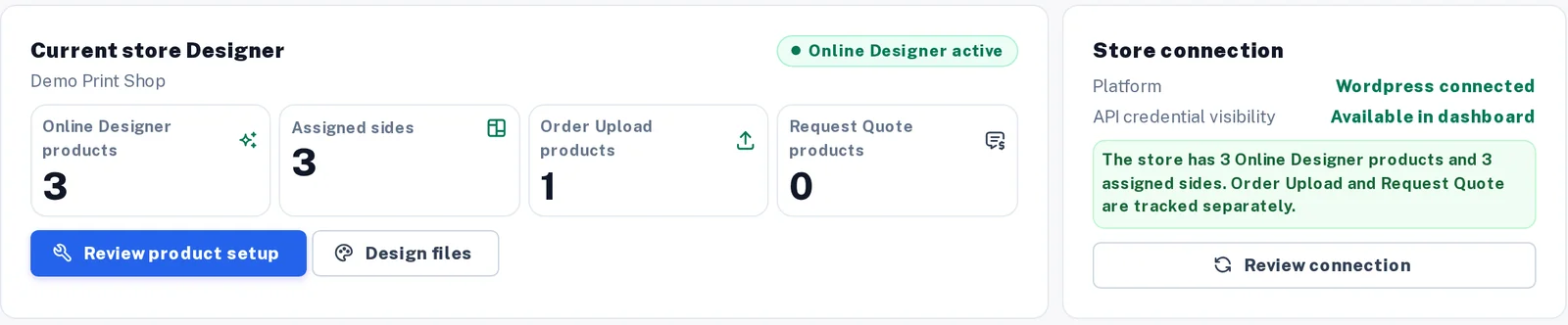
A designer settings page counts online designer, order upload and quote-request products separately.
Both routes solve the same buyer problem — a customer needs to personalise a product and place an order for it — and both can end in a print-ready file reaching production. They differ in where the code runs, who owns the data the customer creates, and how much of the experience the buyer can shape. This comparison sets out the criteria first, then says plainly when each is the right choice, because the honest answer is that neither wins on every axis.
Which criteria actually decide this choice?
Nine criteria account for most of the difference between an embedded SDK and a hosted customizer.
- Control of UX. How much of the design experience — layout, steps, branding, product flow — the buyer can change without asking anyone.
- Data ownership. Where a customer's design, uploaded assets and session data live, and who can export or delete them.
- Print-ready output responsibility. Who is accountable when an order reaches production and the file is not print-ready.
- Hosting and operations. Who runs the servers, patches the software and answers when the design tool is slow or down.
- Upgrade path. Who decides when the tool changes, and how much warning the buyer gets before a change reaches its customers.
- Platform lock-in. How hard it is to move to a different design tool later without re-platforming the buyer's own product.
- Time to first product. How soon a buyer can have a working, orderable design experience live.
- Team skills required. Whether the buyer needs front-end engineers who can integrate a library, or no engineering at all.
- Licensing questions to ask. What a buyer needs to confirm before signing, regardless of which route it takes.
 (opens the full-size diagram in a new tab)
How do an SDK and a hosted customizer compare on each criterion?
| Criterion | Embedded design-editor SDK | Hosted product customizer (vendor-run) |
|---|---|---|
| Control of UX | High. The buyer's app hosts the canvas and decides the surrounding flow, styling and steps | Limited to what the customizer's configuration options expose; deep changes usually need the operator |
| Data ownership | Design and asset data can stay inside the buyer's own systems, depending on the SDK's architecture | Design and asset data typically live on the customizer operator's infrastructure until exported |
| Print-ready output responsibility | Shared: the SDK produces output to a specification, and the buyer's team is responsible for wiring it into their own preflight and production path | The operator usually owns the output pipeline end to end, which is simpler but leaves the buyer dependent on that pipeline's specification |
| Hosting and operations | The buyer runs and scales the surrounding app; the SDK vendor runs less infrastructure for this piece | The operator runs the design tool's infrastructure; the buyer runs comparatively little |
| Upgrade path | The buyer chooses when to adopt a new SDK version, within the vendor's support window | The operator upgrades on its own schedule; the buyer's customers see the change whenever it ships |
| Platform lock-in | Moderate: integration code is written against the SDK's interface and needs rework to switch | Can be higher for the customer-facing flow, since the whole design step lives outside the buyer's app; lower for the buyer's own codebase, which stays untouched |
| Time to first product | Longer: integration, styling and testing take real engineering time | Shorter: a link or an iframe embed can go live with far less code |
| Team skills required | Front-end engineers comfortable integrating a library or component against documented interfaces | Little to none for a basic embed; more if deep customization is attempted against an interface not built for it |
| Licensing questions to ask | How the fee scales with usage, what happens to integration code if the licence ends, and what the SDK is permitted to be embedded into | Whether customer data can be exported on request, what happens to live designs if the account is cancelled, and whether white-labelling is actually included or restricted |
When is the embedded SDK the right choice?
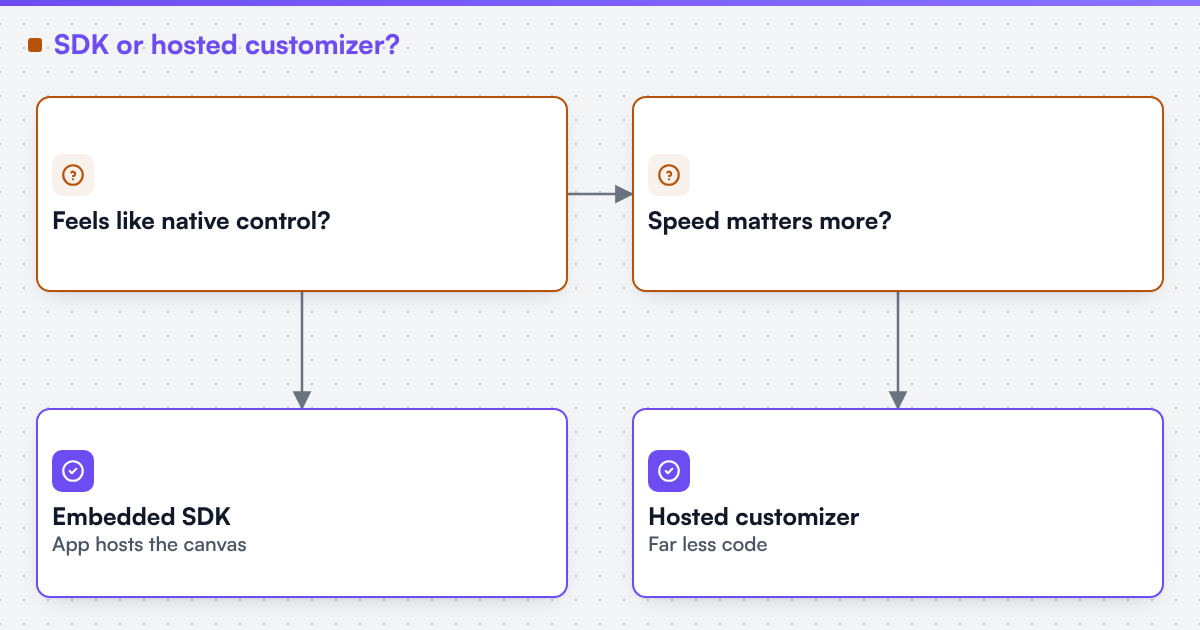
An embedded design-editor SDK is the right choice when the buyer's product depends on the design experience feeling like a native part of its own application — an ISV building a print feature into a broader platform, or an agency delivering a branded storefront where a visibly separate design tool would look like someone else's product. It is also the right choice when the buyer's roadmap requires UX changes on its own timeline rather than waiting on an operator's release schedule, or when design and asset data must stay inside systems the buyer already controls for compliance or workflow reasons. The cost is real: someone has to integrate the SDK, keep it current through upgrades, and take responsibility for how its output reaches production. We can build custom product configurators and browser design tools that emit print-ready artwork to an agreed specification, and that engineering work — not the SDK licence alone — is what makes an embedded editor behave like part of the buyer's own product. Where the surrounding app is a Shopify, WooCommerce, Magento / Adobe Commerce, BigCommerce or Wix storefront, or a headless one, we can scope and build the web-to-print integration and state that platform's constraints before the work is priced. Print product configurator describes that engagement shape.
When is a hosted customizer the right choice?
A hosted product customizer is the right choice when speed to a working, orderable design experience matters more than owning every pixel of the flow, when the buyer has little or no front-end engineering capacity to dedicate to a design tool, or when the buyer is validating demand for a personalised product before committing to a deeper integration. A well-run hosted customizer removes the operational burden of running design-tool infrastructure and often ships a print-ready output pipeline already matched to common commerce platforms. The trade is control: the buyer accepts the operator's UX limits, upgrade timing and, in most cases, where customer design data lives until it is exported. For many storefronts this trade is the right one, particularly in the first year of offering personalised products. Headless and custom web-to-print sets out how a hosted or embedded design step fits into a wider storefront architecture.
What should a buyer ask before signing either way?
Before choosing either route, a buyer should write down what it needs answered, because a vendor demo will otherwise answer with its own strengths. Ask how the fee scales with usage or seats, what format customer designs and assets can be exported in and on what notice, what happens to integration code or live designs if the agreement ends, and what the print-ready output specification actually is — page geometry, colour space, resolution and file format — regardless of which route is chosen. Web2Print Solutions is the web-to-print engineering service of Netbase JSC. Delivery records cited on this site belong to Netbase JSC; where no delivered example of a capability is published, the page says so rather than implying a record.
Live stores built on both approaches are catalogued on the live web-to-print stores evidence page.
Turn this into a scoped brief
If you are weighing an embedded SDK against a hosted customizer and cannot separate the two, send a project brief describing your product catalogue, whether design data must stay inside your own systems, and how soon customers need to be ordering. Those three answers usually point to one route over the other.
Limitations
This comparison describes two categories of approach, not named products, and names no vendor on either side. It does not cover pricing, because this site publishes no prices, rates or payment terms. Individual SDKs and hosted customizers vary in what they actually offer; a vendor's current documentation and contract terms override the general pattern described here. No design-editor decision made for a client is published on this page.
Discuss your web-to-print project
Frequently asked questions
An iframe embed can be styled to match a buyer's site closely, but the customer is still interacting with code the operator controls, and deep UX changes usually require the operator's cooperation rather than the buyer's own engineering.
Usually, at least at first. Integrating a library, wiring its output into a preflight and order path, and testing across the buyer's product catalogue takes real time that a link or an iframe embed avoids.
No. It also affects what a buyer can do later — reporting on customer designs, migrating to a different tool, or recovering a customer's in-progress design without asking the operator for it.
Yes, and it is a reasonable path if export of customer and design data is confirmed up front. Moving later without that confirmation risks losing in-progress and historical designs.
References (5)
- MDN Web Docs, <iframe>: The Inline Frame element, accessed 2026-09-29.
- MDN Web Docs, Content-Security-Policy: frame-ancestors, accessed 2026-09-29.
- NIST Computer Security Resource Center, Glossary: software development kit, accessed 2026-09-30.
- NIST, SP 800-145, The NIST Definition of Cloud Computing (software as a service model), accessed 2026-09-30.
- SPDX, SPDX License List, accessed 2026-09-30.