Ready-made platform
Run it on W2P Solution
A white-label print store with a built-in designer, print pricing rules and a production queue, set up and hosted by the Netbase JSC team.

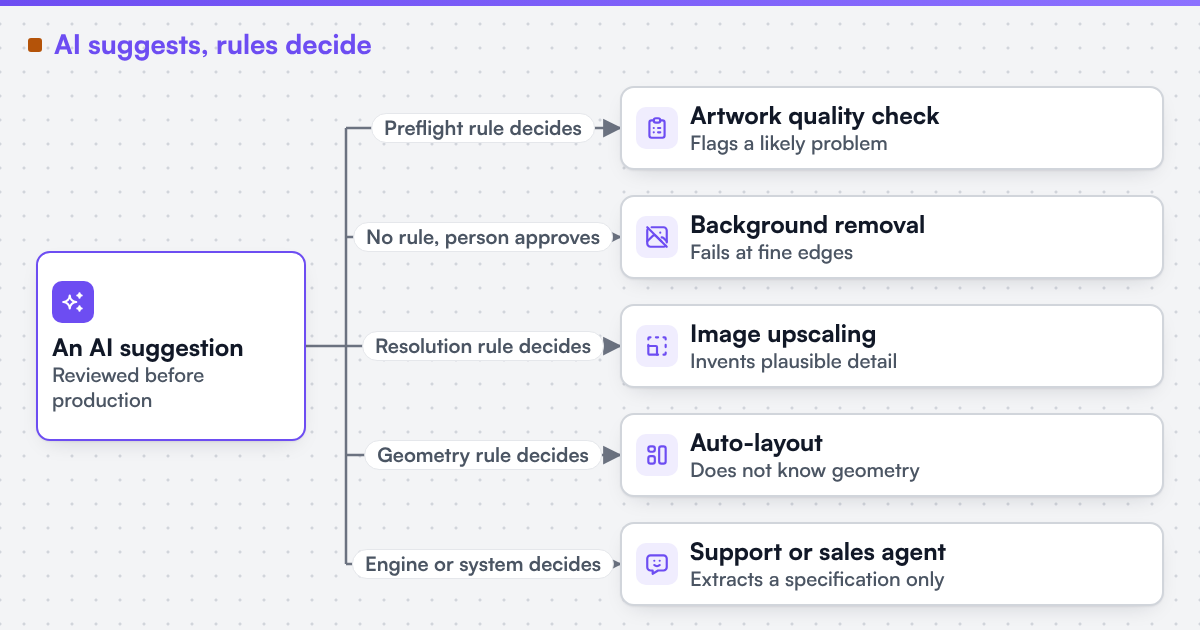
An AI artwork check before production is a review step placed after automated preflight and before a print job is released. Preflight rules still decide every measurable property. The model only flags likely content problems the rules cannot measure, such as text at the trim or an upscaled photo, and a named prepress reviewer decides each flag.
Start readingReviewed by CEO, Netbase JSC · Published 25 Nov 2026 · Updated 25 Nov 2026 · 15 min read

An AI artwork check before production is a review step between the moment a buyer's file passes automated preflight and the moment the job is released to the press. A model looks at the rendered artwork and the order line together and raises flags for problems that a measurable rule cannot see. A named prepress reviewer decides every flag. The model never edits the file, never passes it and never releases the job.
This guide is a spoke of AI agents for print sales and support, the service page that covers the buyer-facing agent for quotes, order status and artwork questions. When a buyer asks "Why is my file under review?", the agent answers from the record this check writes. Here we cover the production side: which checks stay with rules, what the AI layer should look for, the order the check runs in, what a flag record holds, who decides, and how to test the step on a shop's own past jobs before it touches a live order.
The problem it addresses is a familiar one in prepress. A file can pass every preflight rule and still print wrong: a headline sits inside the bleed, a photo was upscaled from a thumbnail, or the back of a leaflet was uploaded as the front. Those are content problems, and today a person finds them by eye, often only after the plates or the first sheets.
The first design decision is the split. A property that the file itself carries as a number belongs to a deterministic rule, because a rule gives the same answer every time and can be tested exactly. The automated preflight rules insight covers how those rules and their thresholds are written. The AI layer is for what is left: properties a person judges by looking at the page.
| Check | Preflight rule | AI flag | Rule or a person decides |
|---|---|---|---|
| Image resolution at final size | Decides from the effective resolution | Flags a photo that was upscaled or is soft | Reviewer, for the flag |
| Bleed, trim and safe area | Decides from the page boxes | Flags text or a face crossing the trim | Reviewer, for the flag |
| Colour mode and spot colours | Decides from the colour spaces used | Not used | Rule |
| Fonts embedded | Decides from the font list | Not used | Rule |
| QR code and barcode | Decodes the code and compares the content | Not used | Rule |
| Artwork matches the order line | Checks page count and page size | Flags wrong side, orientation or product | Reviewer, for the flag |
| Visible text | Not measurable | Flags placeholder, mirrored or cut-off text | Reviewer, for the flag |
Two rows say "Not used" on purpose. A QR code either decodes to the intended address or it does not, so a rule checks it; asking a model whether a code "looks right" would replace an exact test with a guess. The page boxes that make bleed and trim measurable are explained in bleed, trim and TrimBox in exported print files.
Start with the problems that cause reprints in the shop's own history, not with what a model happens to be able to do. The list below is a starting set for commercial print; each shop keeps only the flags that its past jobs show are worth a reviewer's time.
| Flag | What a rule misses | Example | Reviewer's options |
|---|---|---|---|
| Content at the trim | Rules see the boxes, not what the pixels show | A face or a phone number runs into the bleed of a raster image | Accept, or send back through the proof |
| Upscaled or compressed photo | Effective resolution can pass after upscaling | A logo enlarged from a web thumbnail, blocky at full size | Accept, or ask the buyer for a better source |
| Wrong side or orientation | Page size and count can match the order | The back of a flyer uploaded as the front, or landscape art on a portrait card | Swap with consent, or send back |
| Placeholder or unfinished text | Text is present, so no rule fails | "Your headline here" or dummy copy left in the layout | Send back; never edited silently |
| Mirrored or cut-off text | The page is technically valid | Text flipped for a window decal that should read normally | Confirm the intent with the buyer |
| Background removal edges | The image is valid at size | A light halo around a cut-out on a dark background | Accept, or ask for a cleaner cut-out |
Each flag is a question for a person, not a correction. The AI-assisted print workflow features service sets out the same line: a model flags a likely problem; it does not edit, repair or auto-correct a customer's file and pass it to production unseen. Where AI artwork checks fall short is set out in what AI does not do in a print workflow.
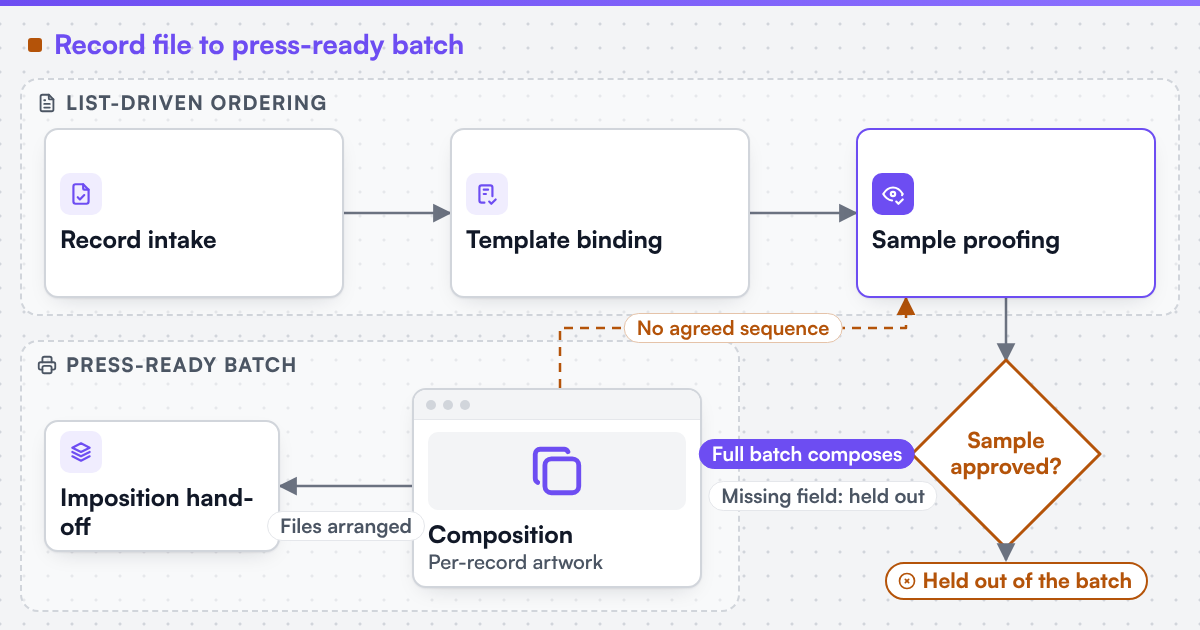
A new upload is a new file version, so it starts again at step 1.
The order matters. Running the model before preflight wastes reviewer time on files a rule would have failed anyway, and running it after the proof means the buyer approves a file the shop already doubts.
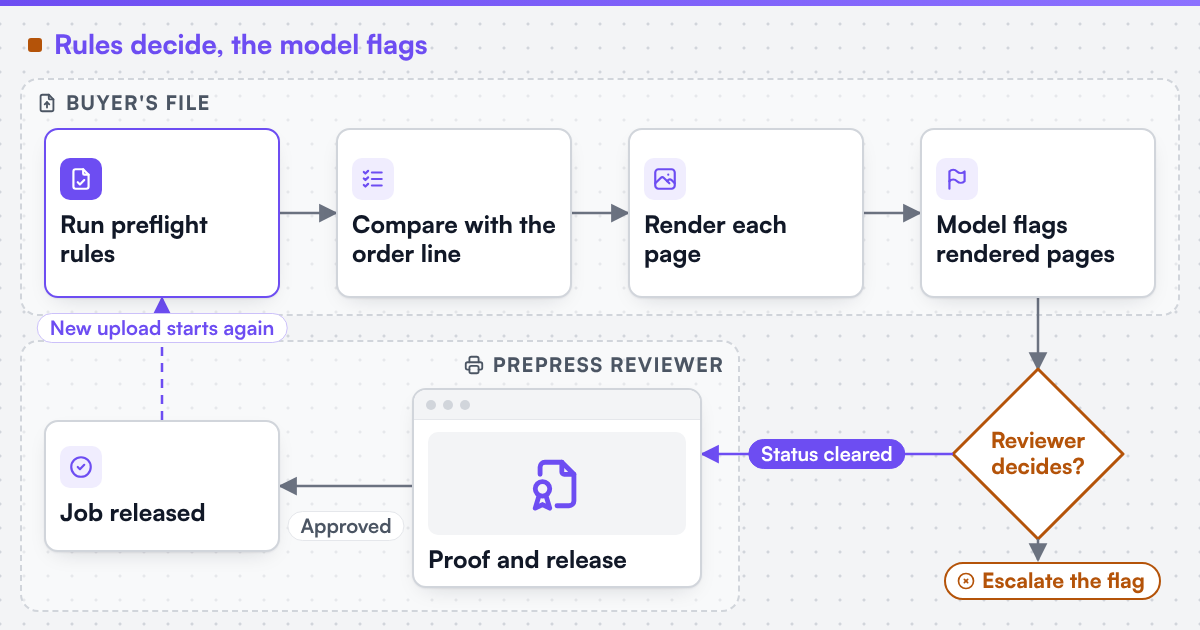 (opens the full-size diagram in a new tab)
A flag is stored as a record, not shown as a pop-up, so the same facts reach the reviewer, the buyer-facing agent and a later audit. A useful record carries:
Dismissal reasons are the most useful field over time. A flag category that reviewers dismiss again and again is noise, and the shop either narrows it or drops it.
The reviewer is the person who already approves artwork for production, usually a prepress operator. The AI step changes what that person looks at first, not who decides. Under Article 14 of the EU Artificial Intelligence Act, human oversight of high-risk AI systems includes staying aware of automation bias: the tendency to rely too much on what a system outputs. A print artwork check is not a high-risk system under that act, but the warning still applies on a prepress desk: if the queue shows a model's note as a verdict, reviewers stop looking.
Three design choices keep the reviewer in charge. The queue shows the rendered page and the marked area, not just the note. A file without flags is not labelled "approved by AI"; it simply carries no flag. And any change to the artwork goes back to the buyer through the proof, so the person who owns the design sees it. A correction the shop makes with consent is recorded as a prepress edit, never as the model's output. Where rejected files already cost hours of rework, the artwork rejection and prepress rework page sets out how one preflight decision removes most of it.
The buyer sees the status and, once a person has decided, the reason. A buyer-facing agent reads the same record: while a flag is open it answers "under review"; after the decision it explains the outcome in plain words and links the proof. We can build AI agents that collect print enquiry details and answer order-status questions. Prices come from the client's pricing engine, and commitments, refunds and exceptions go to a named person. The agent never tells a buyer that the model "found a problem" before the reviewer has looked at it. The same rule appears in the intake step of an AI quote assistant for custom print jobs, where attached files are recorded and left for preflight and the proof approver.
A worked example on a roll-up banner, with illustrative values. A buyer orders one roll-up banner from a banner and signage configurator and uploads a single-page PDF.
No rule could know that the bottom of a roll-up banner disappears into its stand. The product data and a reviewer who has seen it happen do.
Acceptance uses the shop's own history, never a demo set:
The thresholds are agreed with the prepress team in writing before testing starts. This page publishes no accuracy figure, because the only figure that means anything is the one measured on that shop's files. The NIST AI Risk Management Framework and its generative AI profile describe the same practice in general terms: measure a system in its own context of use, and keep measuring it after release.
Web2Print Solutions is the web-to-print engineering service of Netbase JSC. Delivery records cited on this site belong to Netbase JSC; where no delivered example of a capability is published, the page says so rather than implying a record. No AI artwork check delivered under the Web2Print Solutions name is published yet. Netbase JSC, which operates Web2Print Solutions, has delivered 50+ web-to-print platforms; stores that are live today are listed on the live web-to-print stores evidence page.
Netbase JSC develops AI and API automation for print workflows; its print API includes AI artwork jobs that a person approves or rejects. That is the pattern this guide describes: a job proposes, a person decides. We can build AI-assisted steps into print workflows where a human reviews the result, with accuracy measured on the client's own data before acceptance. The preflight rules underneath are part of print-ready PDF and prepress automation, and a published example of a rule set is the preflight rule set specimen.
AI tools assist our own engineering work. A named human engineer reviews and remains accountable for everything we deliver, and no generated output ships unreviewed.
The default engagement is fixed-scope with written acceptance criteria and priced change control. Managed operations is a separate, opt-in agreement.
To scope an AI artwork check, start with the service page on AI agents for print sales and support, which shows how buyers are told about file status and what stays with people. Then send a project brief with a sample of past files and their outcomes (printed, sent back, reprinted, with the reason), your current preflight profile, the product data that matters for artwork such as cassette or fold areas, who approves artwork today, where the order and proof records live, and which model providers, if any, your contracts already allow. Related production steps are described in the print order workflow, and more technical references are in the guides section.
This guide describes a check structure and the documents it relies on, read on 25 November 2026; it does not recommend a model provider or an imaging product. The flag list and the banner example are illustrative, not any shop's specification. Where a technical standard is named, it describes the output specification an engagement produces to, not a credential Web2Print Solutions holds. This site publishes no prices, rates, day rates or payment terms.
No. Preflight rules decide every measurable property, such as resolution, boxes, colour and fonts. The AI step runs after preflight and only flags content problems that no rule can measure, for a person to decide.
No. The model raises a flag; it does not edit the artwork. Any change goes back to the buyer through the proof, or is made by prepress with the buyer's consent and recorded as a prepress edit.
The step raises a flag rather than passing the file silently, and a reviewer decides. If a category produces too many unsure flags in testing, the shop narrows it or drops it before go-live.
No. It carries no AI flag and moves to the normal proof step. Only a person's proof approval releases the job to production.
On the shop's own past files with known outcomes, including reprints, with part of the set held back. Thresholds and the acceptable reviewer load are agreed with the prepress team in writing first.
Ready-made platform
A white-label print store with a built-in designer, print pricing rules and a production queue, set up and hosted by the Netbase JSC team.
Commissioned build
When the workflow needs rules, integrations or a configurator a standard edition does not cover, the Netbase engineering team scopes and builds it.
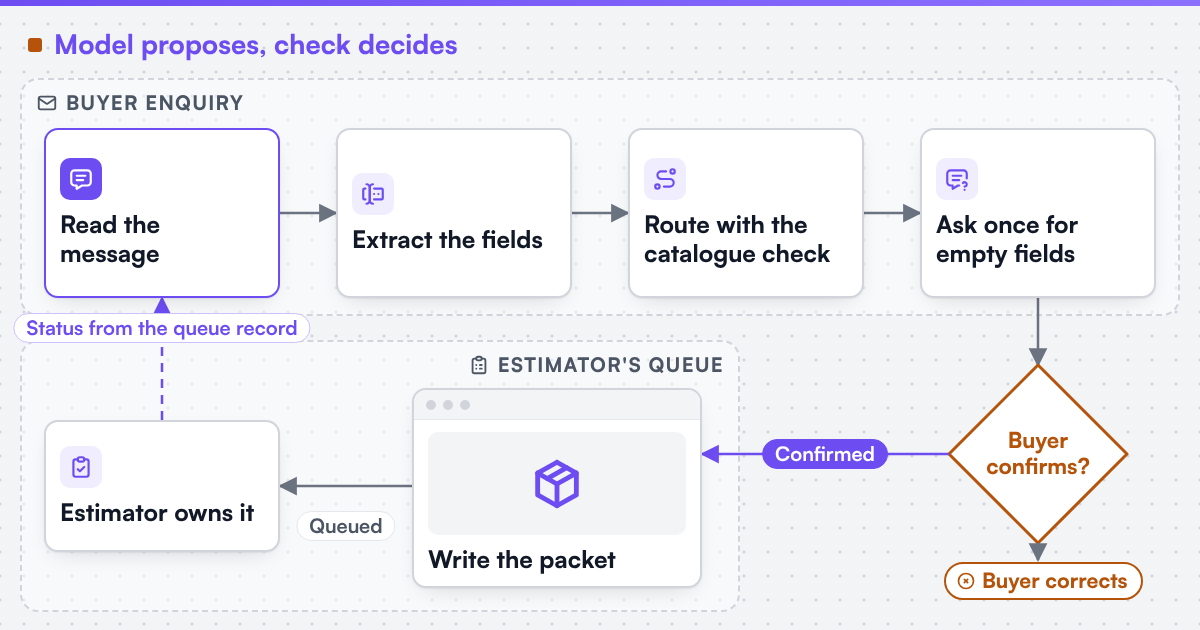 AI Quote Assistant for Custom Print Jobs
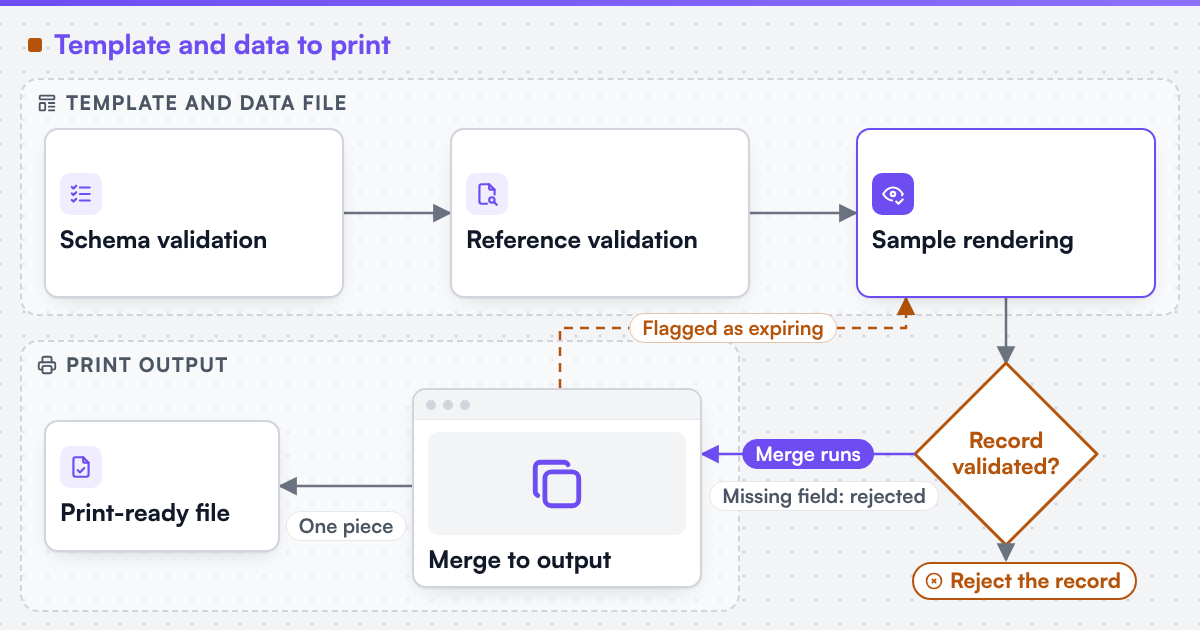 Variable data printing in an online storefront
 Industry
Web-to-print for direct mail and transactional print
 Guide
What AI does not do in a print workflow
 Service
AI agents for print shops: quotes, order status and artwork questions
 Service
AI-assisted steps in print workflows
Tell us about one product you want to sell online. A senior engineer reads every brief and replies in writing.
The plugin used is really top, time saving and complete features. ultra easy installation and configuration. And even when I needed specific development in relation to my theme, Andrea from customer service was very competent and fast. I recommend!
 France
